
This guideline will help you to activate and use the Agent Catalogue. Agent Catalogue is a Space-specific catalogue for the agents that are developed and fine-tuned in AI Agent Development platforms. Currently, Saidot supports integration and governance of models developed in Microsoft Azure AI Foundry.
The Agent Catalogue offers developers the possibility to govern their AI agents at Saidot by
-
Integrate with the AI agent development platform to govern agents at Saidot
-
Import agents through integration, including basic agent metadata
-
Analyse and classify the tools the agents have access to to automate risk level inheritance
-
Add agent-specific governance information, including owner, risk level, approvals and risks
-
Manage links to systems, models and datasets, including bidirectional agent-model relationships
Enabling Integrations in Admin Interface
The detailed instructions for Agent Catalogue Integrations can be found here. The instructions help Saidot Admins to enable the use of Agent Catalogue by integrating it into the Agent development platforms. In addition to the in-built integrations, the organisation may also integrate agent metadata to Saidot using API's.
Agent Catalogue
After successful integration, agents from Azure AI Foundry can be imported and governed at Saidot.
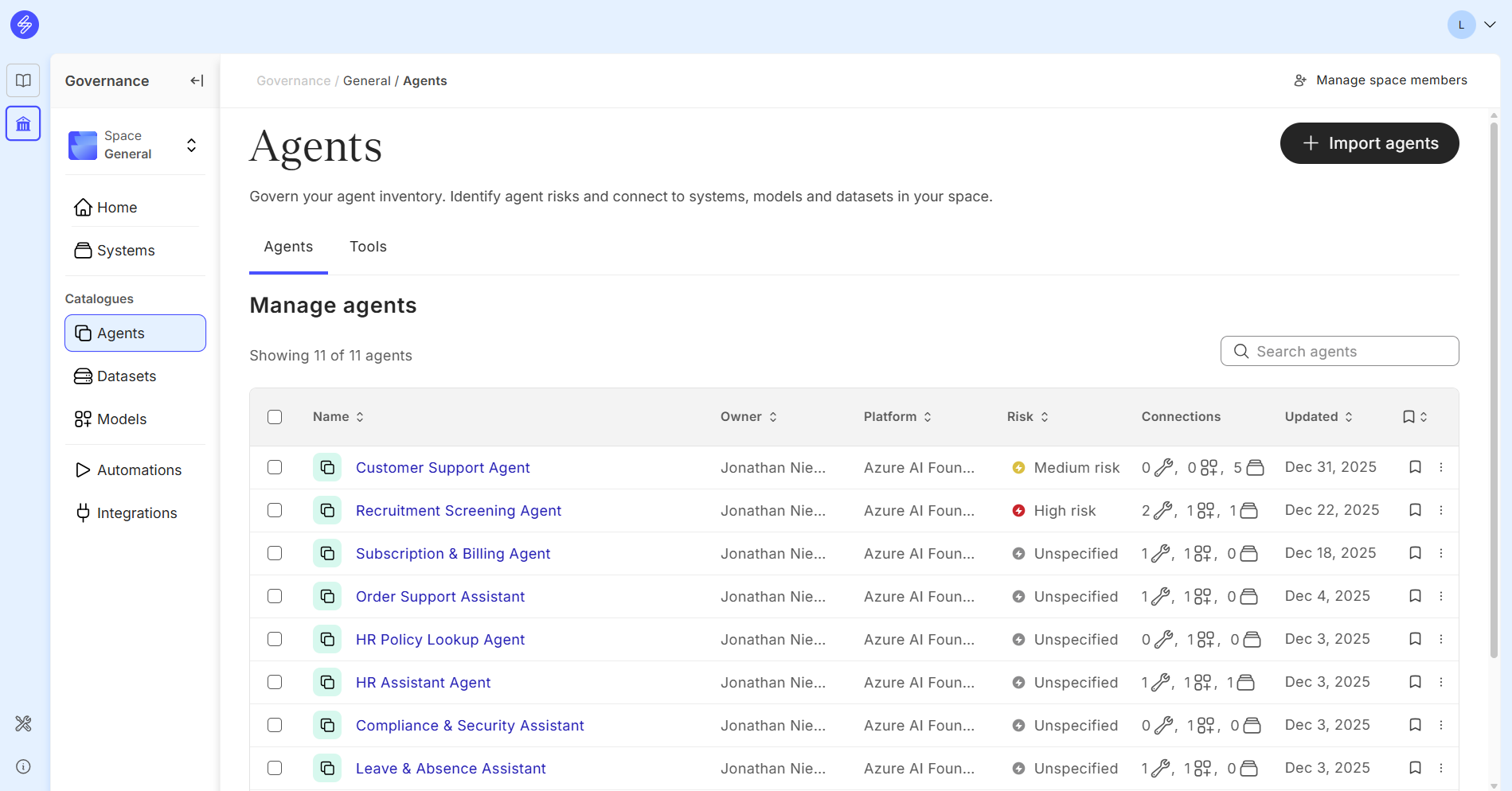
Step 1. Import agents
Start the agent import by selecting Agents and Import agents. Wait for Saidot to get the agents imported from Azure. This might take a couple of minutes.
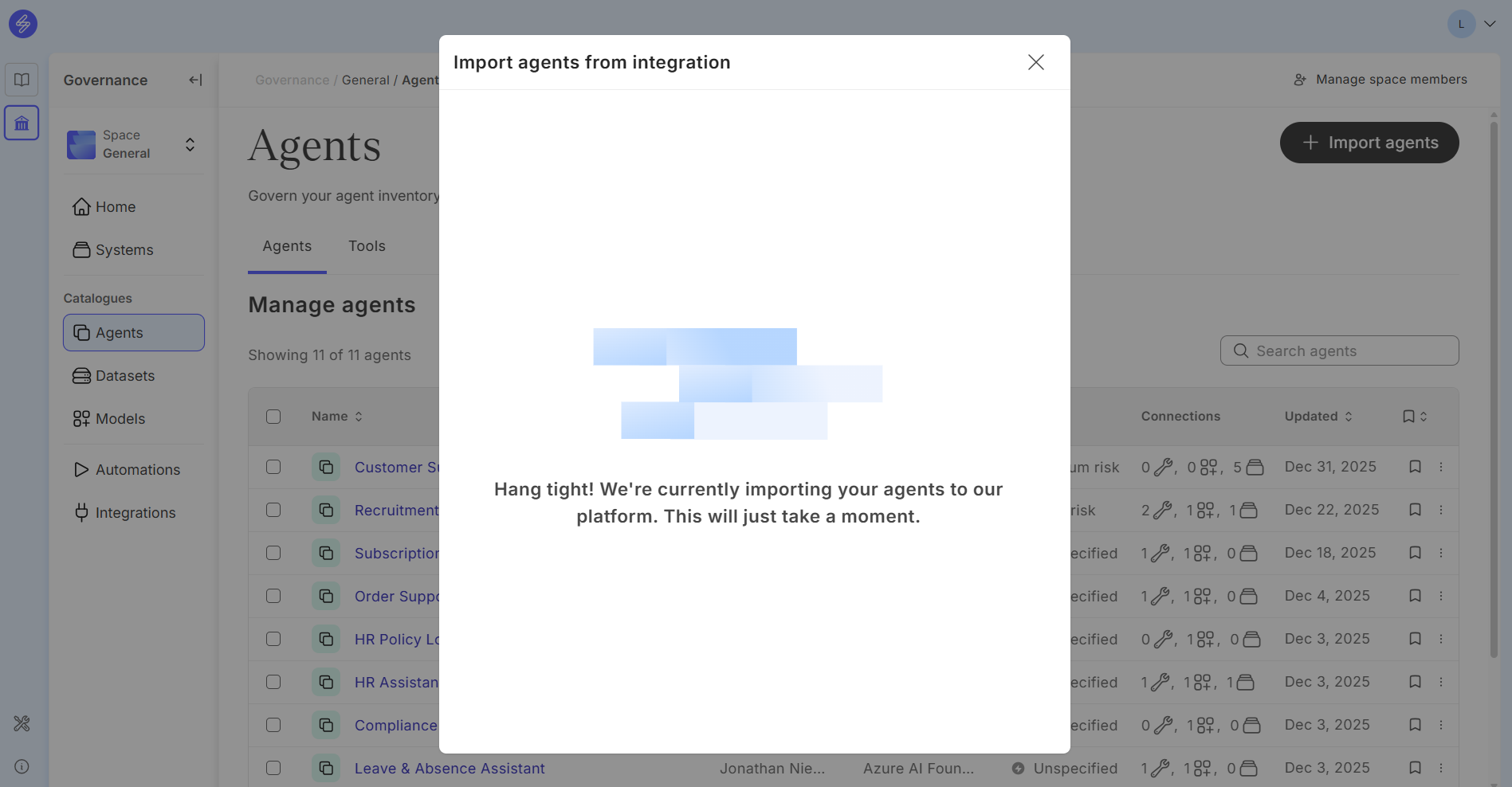
Select the agents to be imported to the Agent Catalogue.
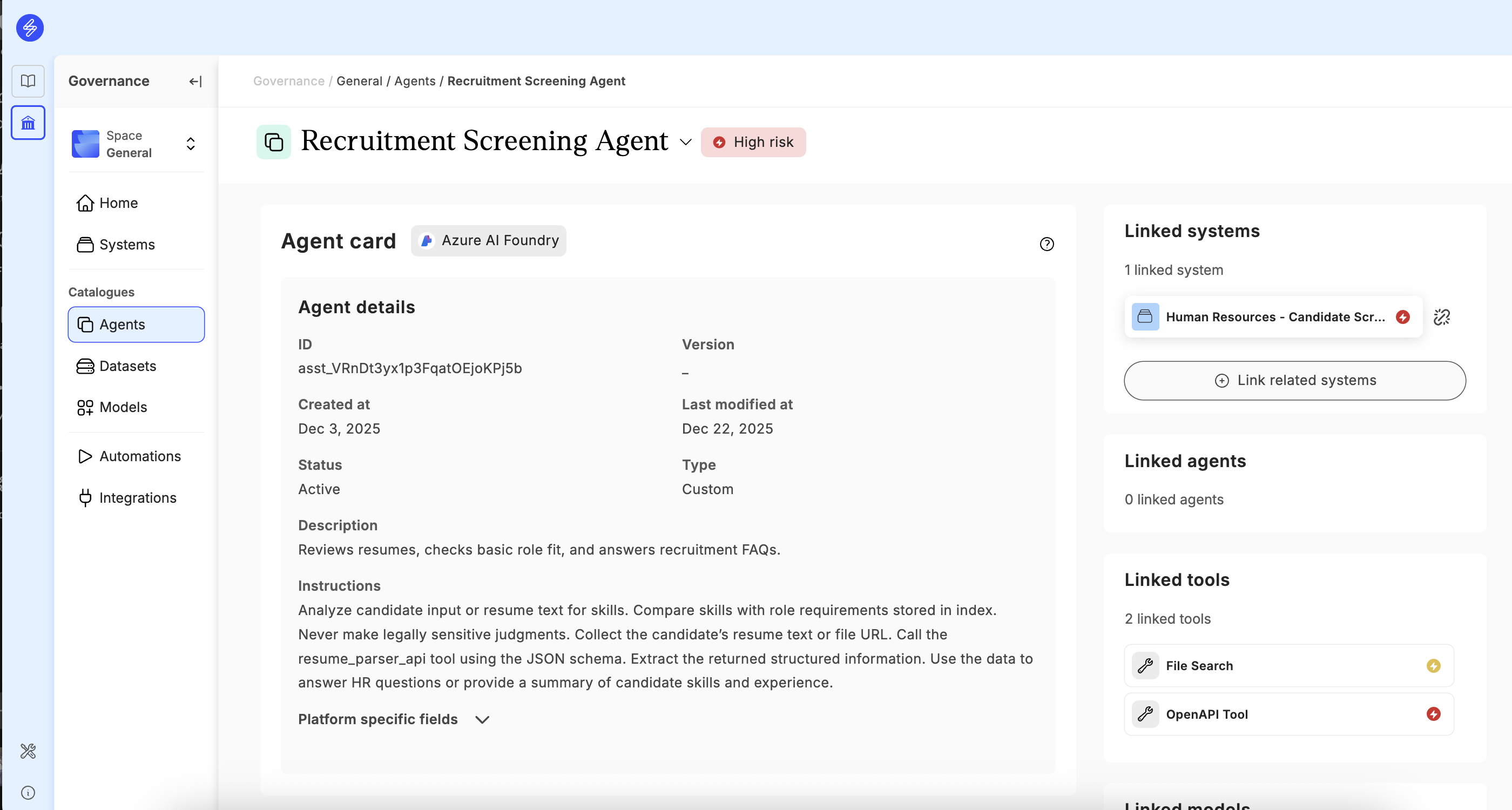
Step 2. View Agent Card
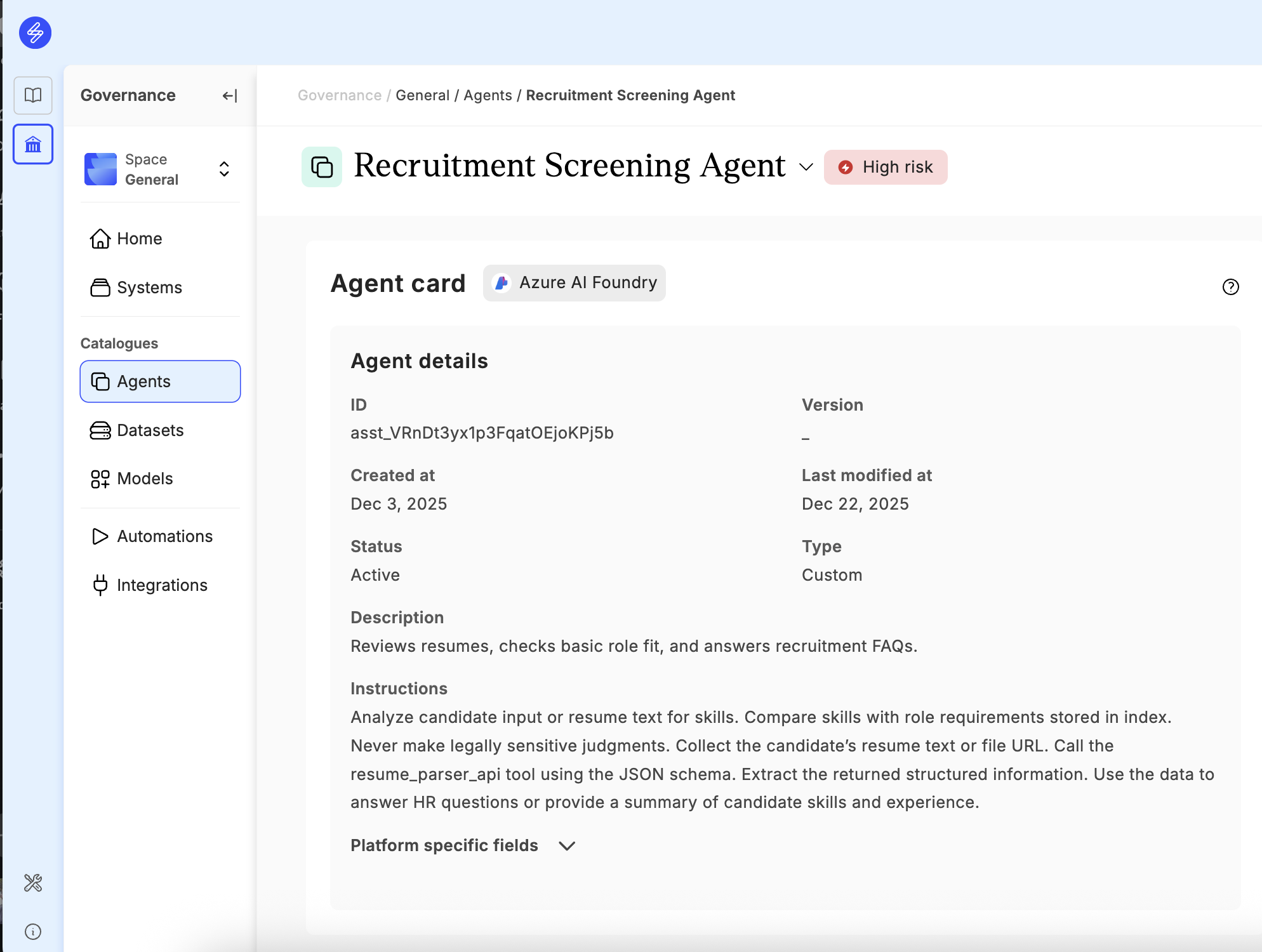
View the agent details in the Agent Card. This information is integrated from your integrated platform directly. Retrieved metadata depends on the origination platform, and all platform specific fields can be accessed from the 'Platform specific fields' section.
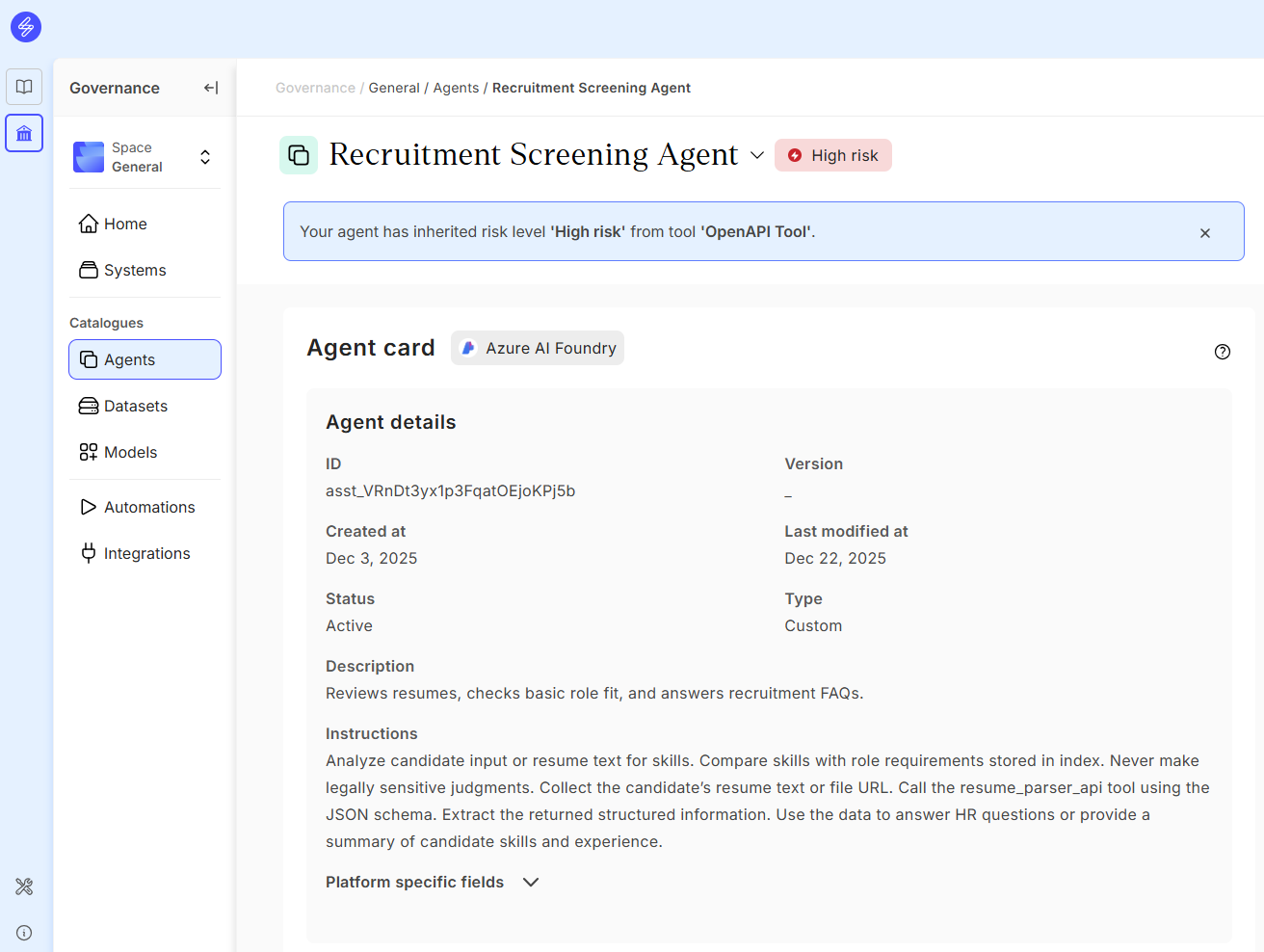
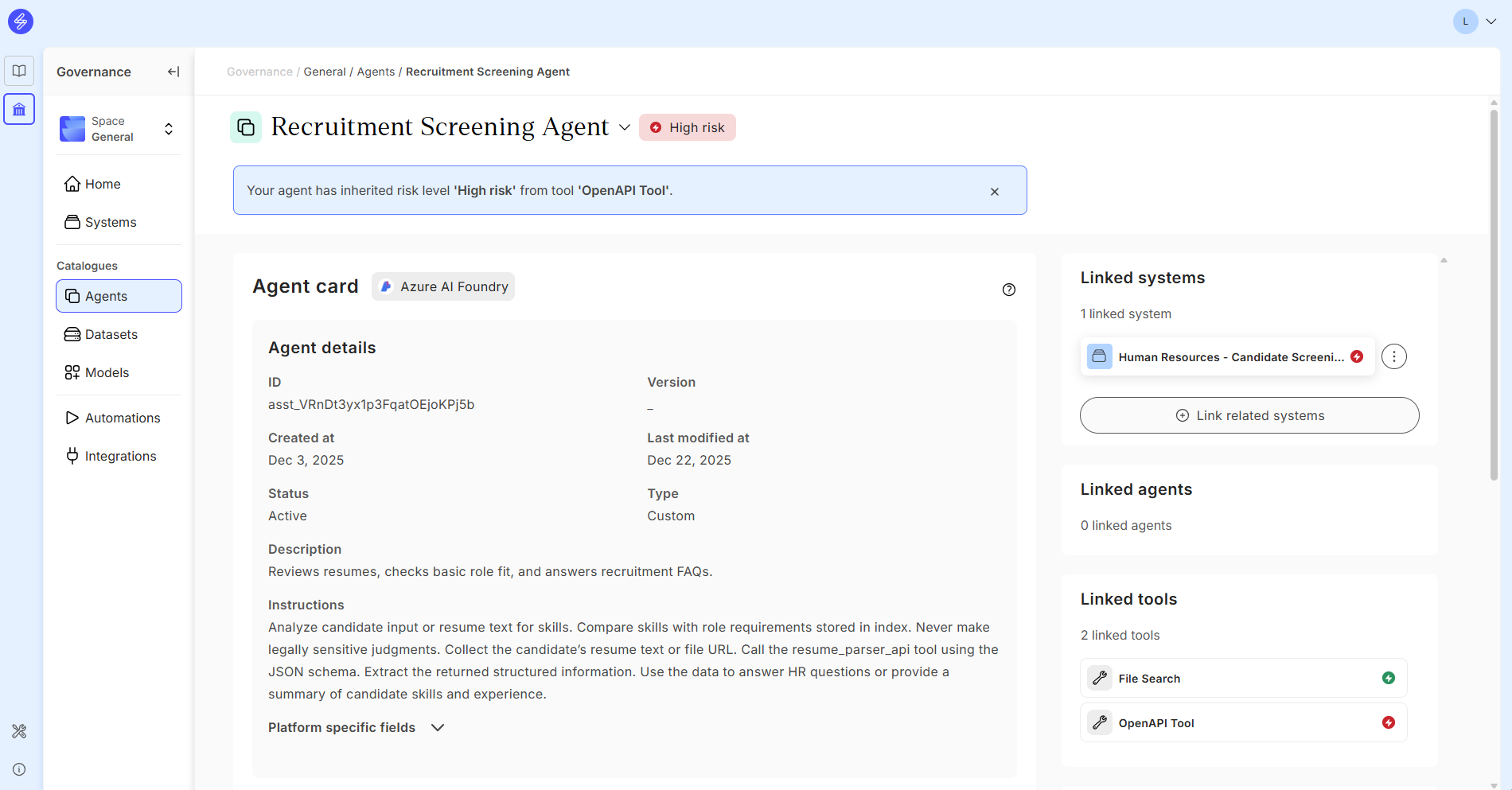
Step 3. Review and classify linked tools
Review the tools that are linked to the agent automatically from your agent development platform.
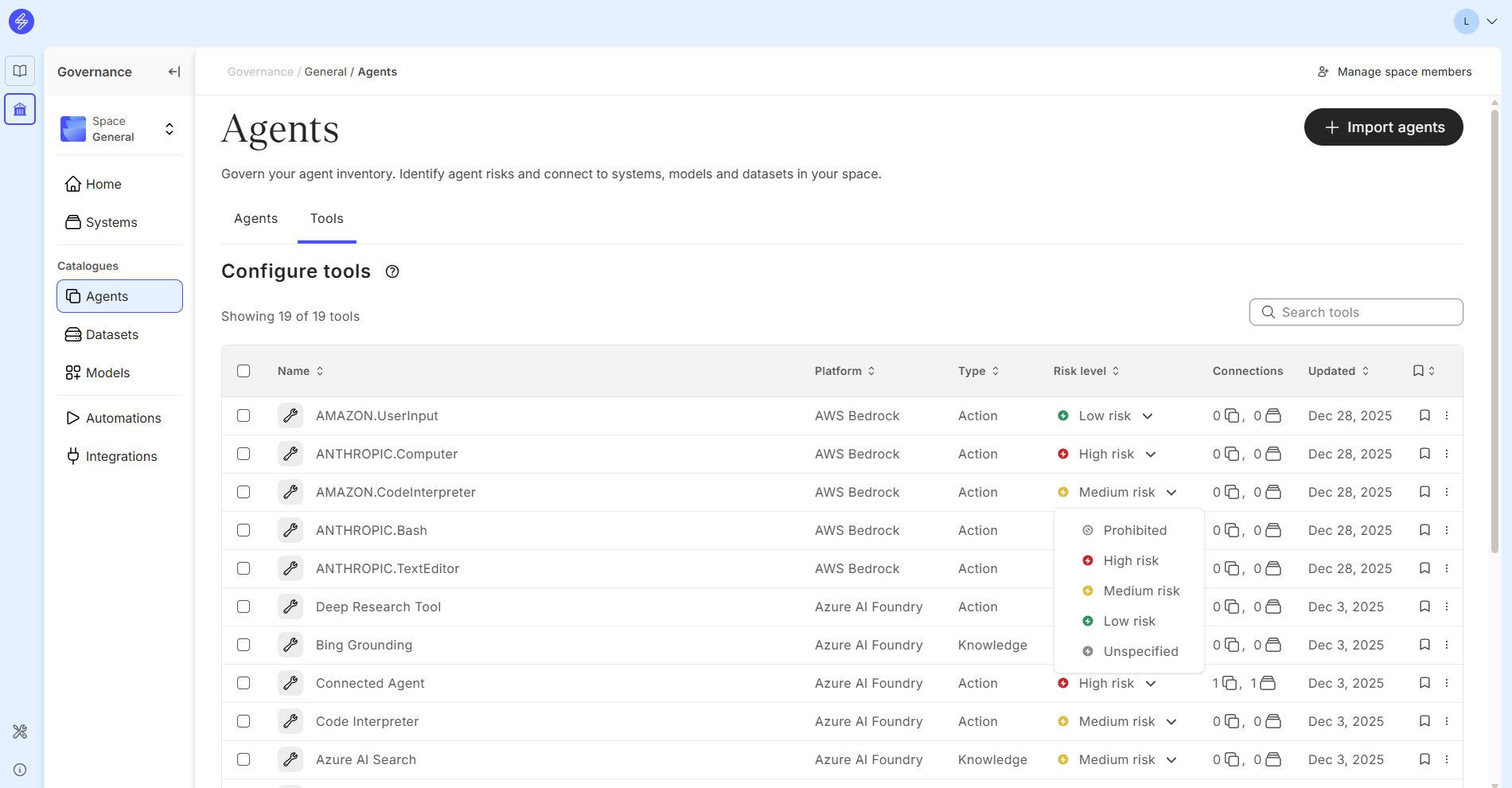
You can change the tool risk classification when navigating back to Agent Catalogue and selecting Tools page.
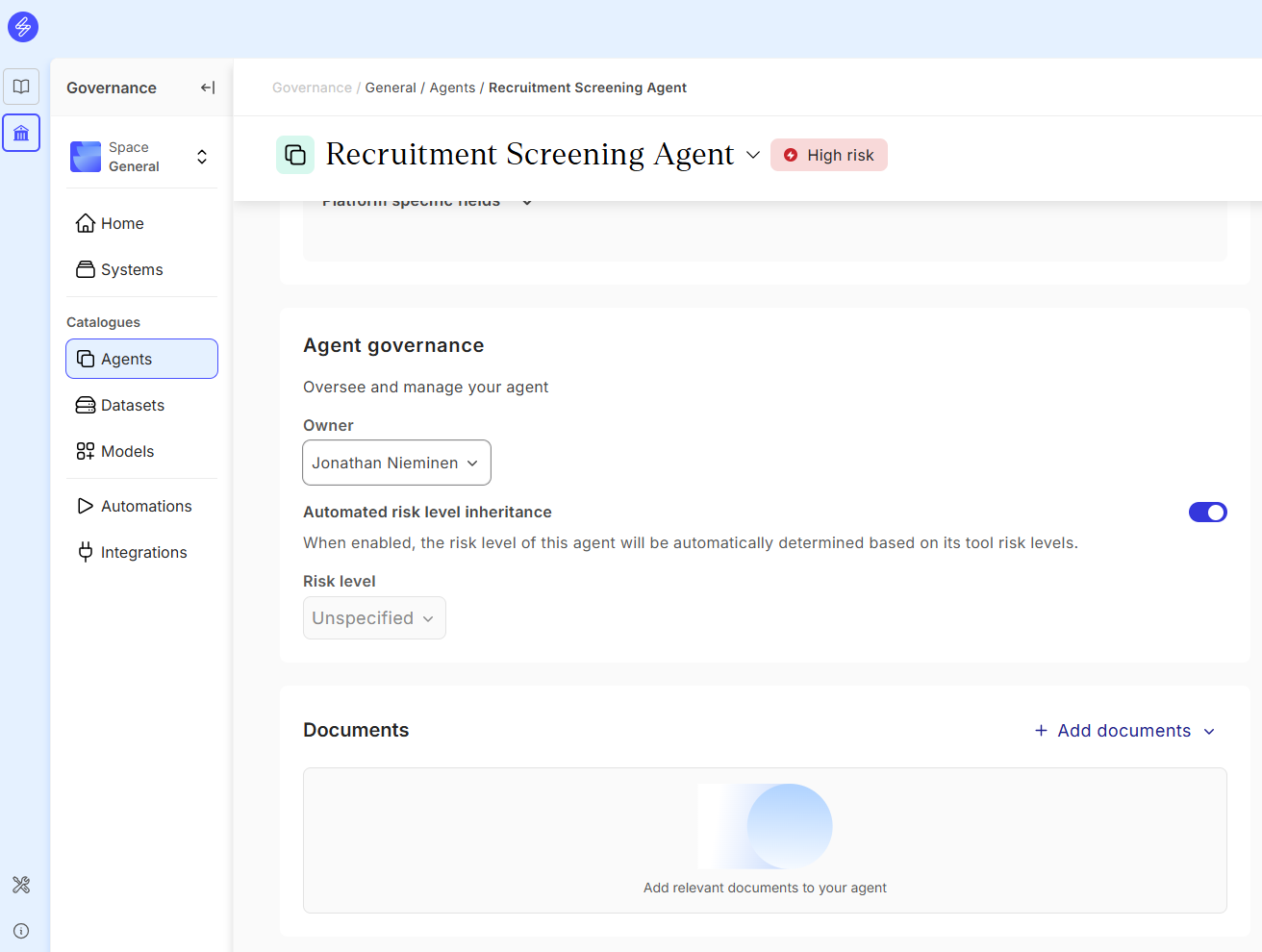
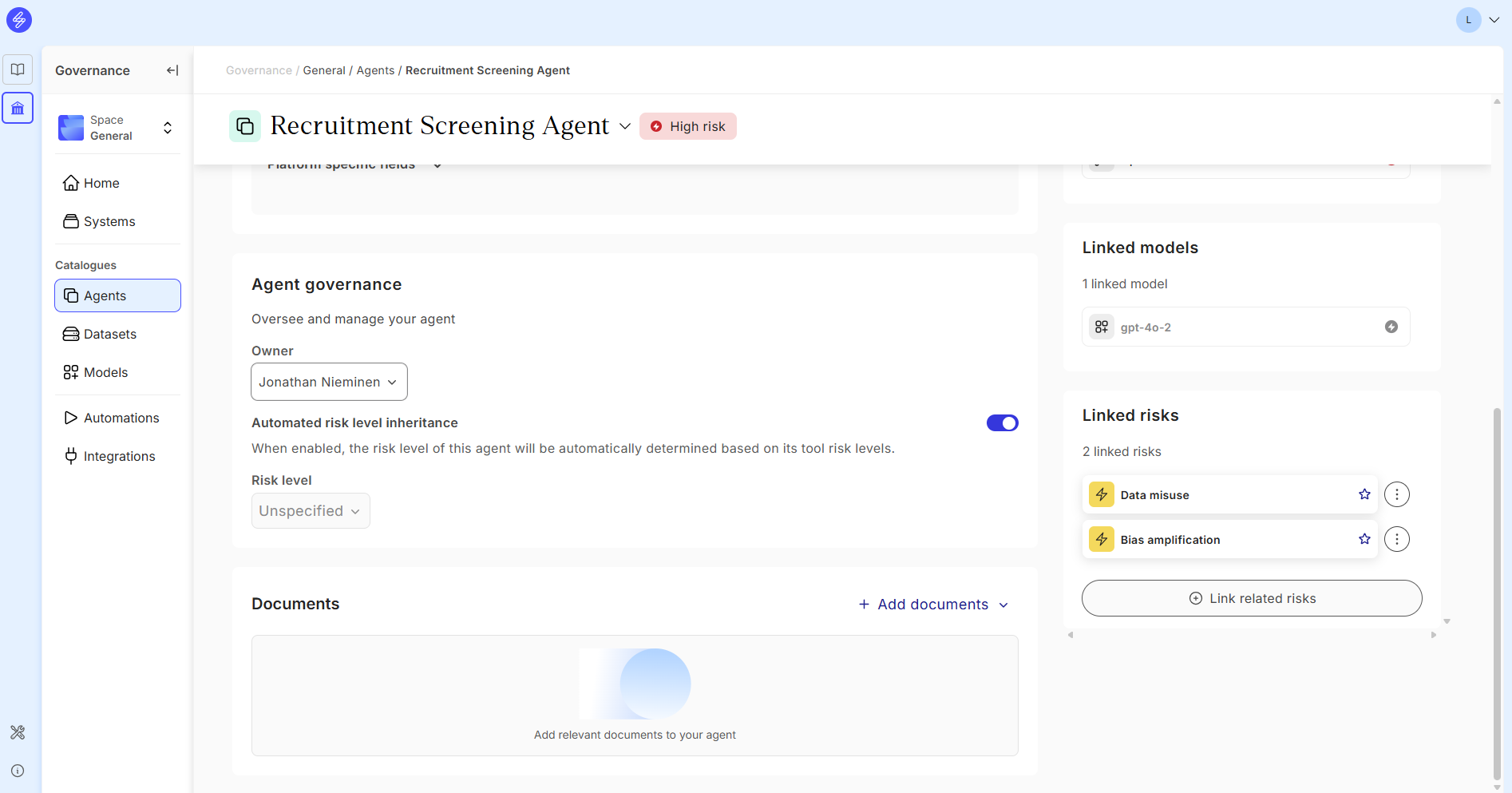
Step 4. Govern an agent
Oversee and manage your agent on the Governance section, including
-
Agent owner
-
Risk level inheritance automation setting
-
Documents
Step 5. Link risks
Agent owner can link risks to the agent using the Saidot Risk Library.
Step 6. Link agent to System
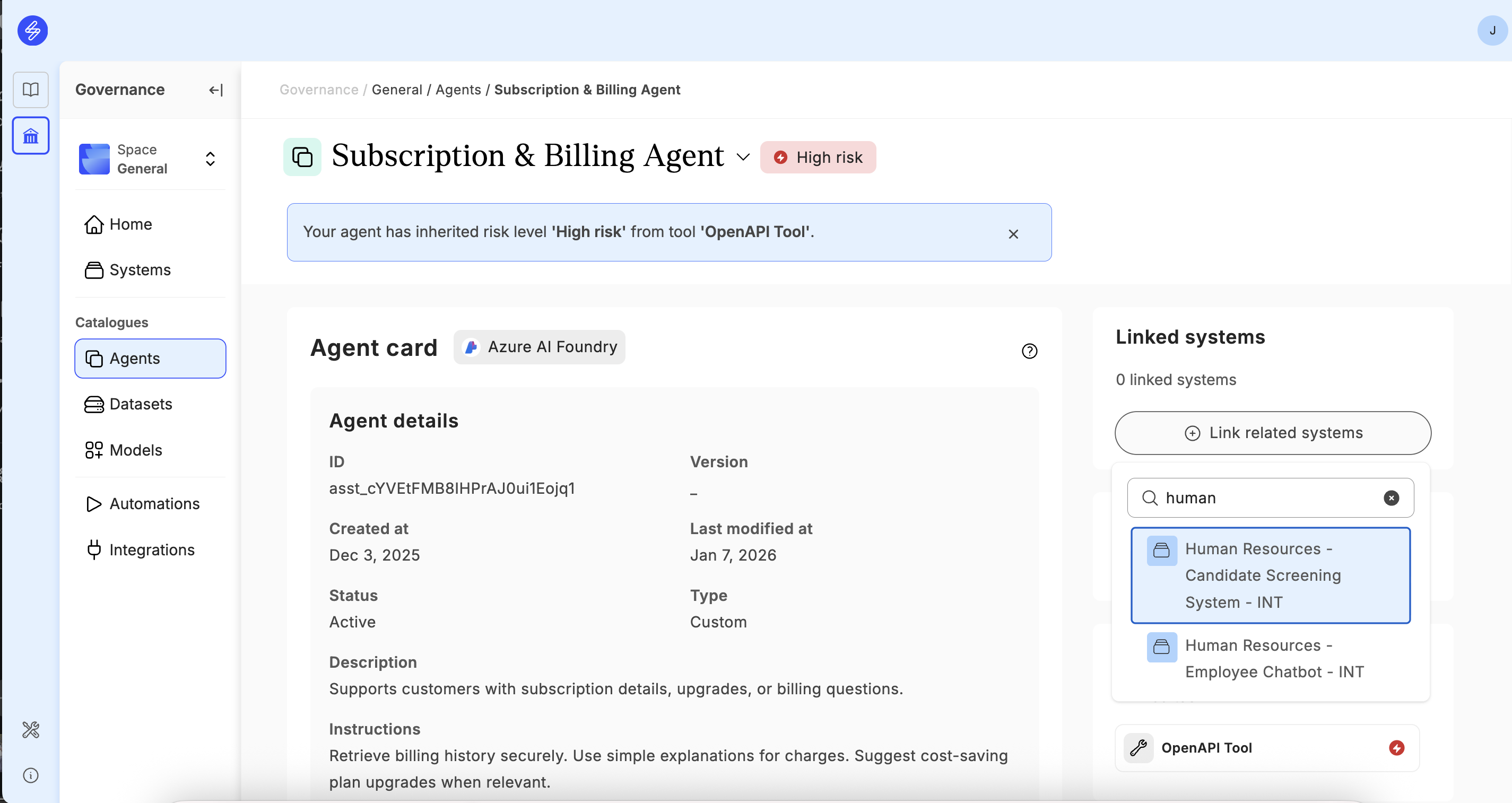
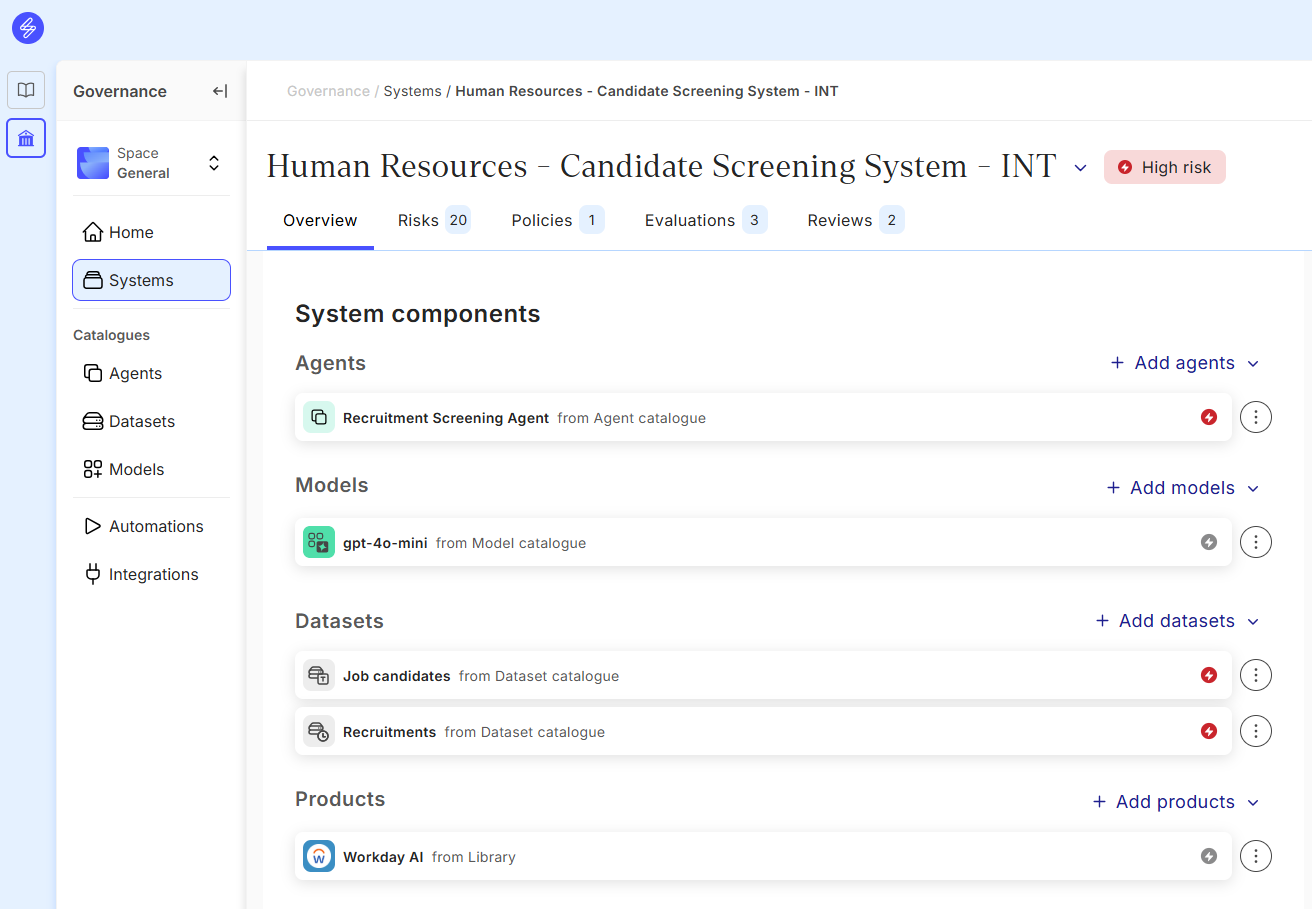
If further AI governance, risk and compliance management is needed for the agent, the agent can be linked to the System as a component. The agent can linked to the System in the Agent Card or by adding the Agent to the Components of an existing System.
Step 7. Link agent to models
Each agent card includes a Linked models section in the right-hand panel. Here you can see which foundation or fine-tuned models the agent relies on, and add new model links by clicking + Link related models.
Linking is bidirectional — once you link a model to an agent, the relationship appears on both sides. The agent shows its linked models, and the model record in the Model Catalogue shows which agents use it. This gives you full cross-inventory visibility into agent-model relationships, which is particularly useful when preparing for EU AI Act classification or assessing the downstream impact of model changes.
To link a model, open the agent card (Governance → [Your Space] → Agents → [Agent name]), find the Linked models panel on the right, and click + Link related models. Select the model from your catalogue and confirm. You can link multiple models to a single agent.
📸 Add screenshot of the agent card showing the Linked models panel with a linked model and the + Link related models button.