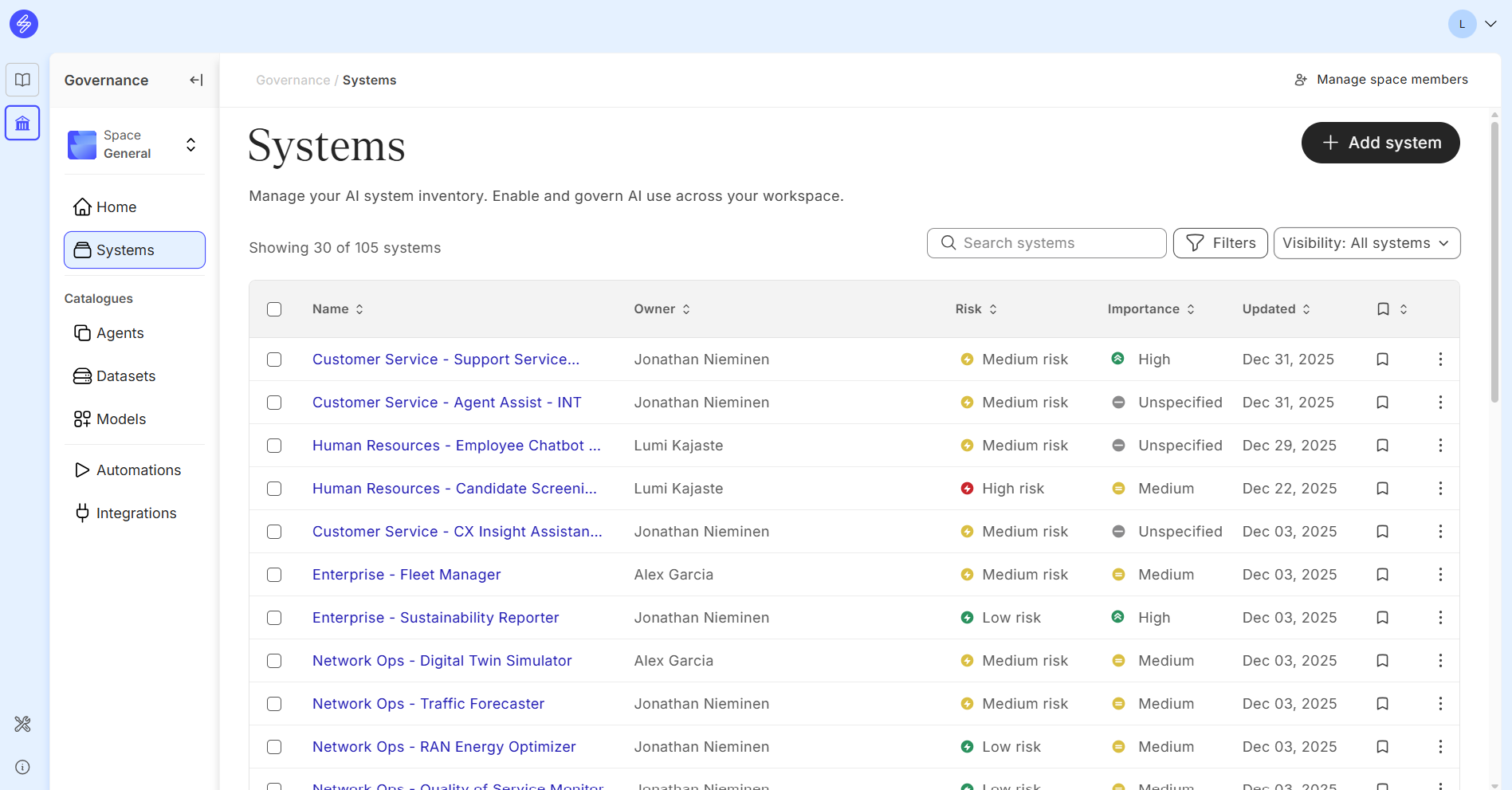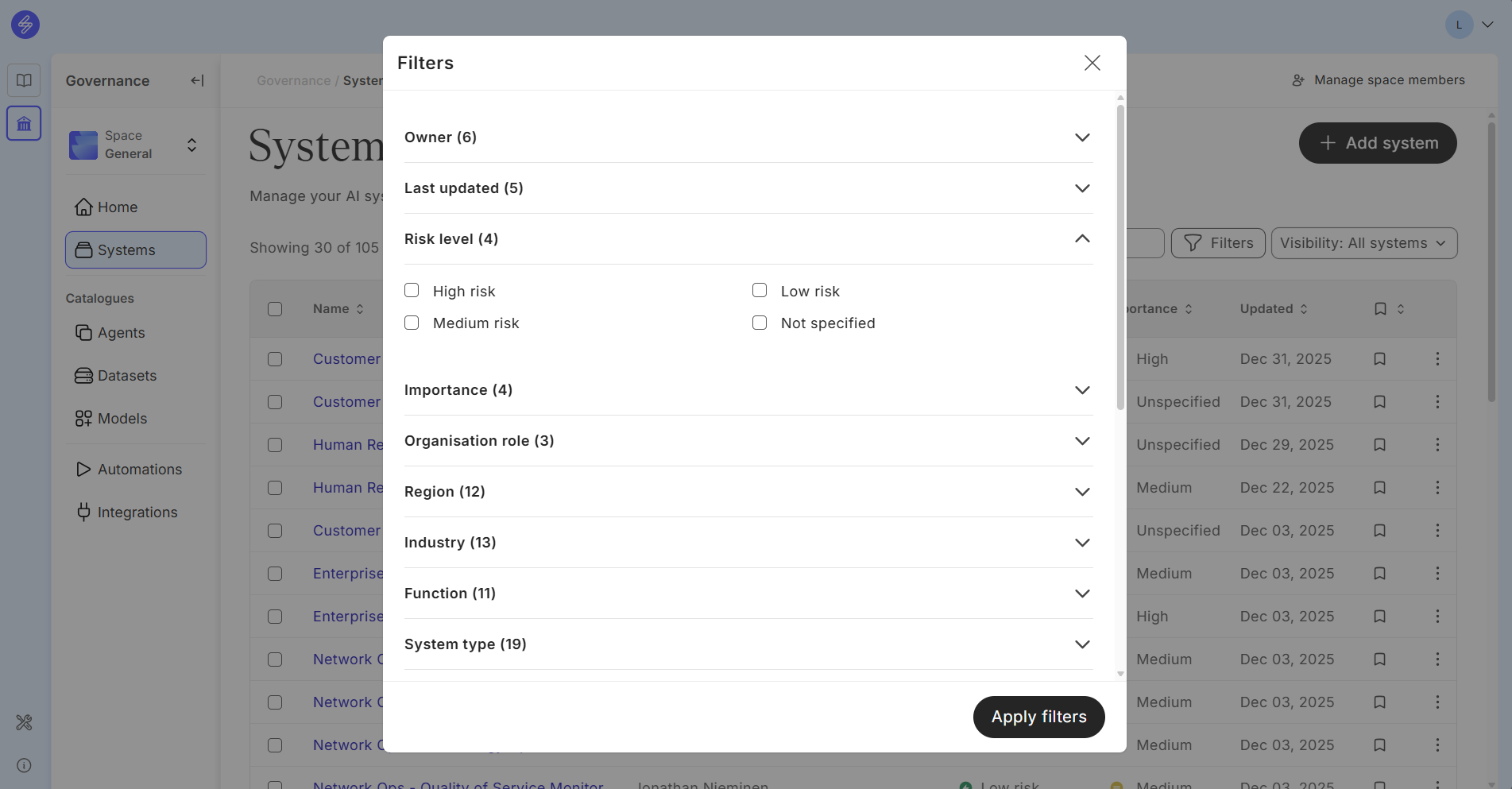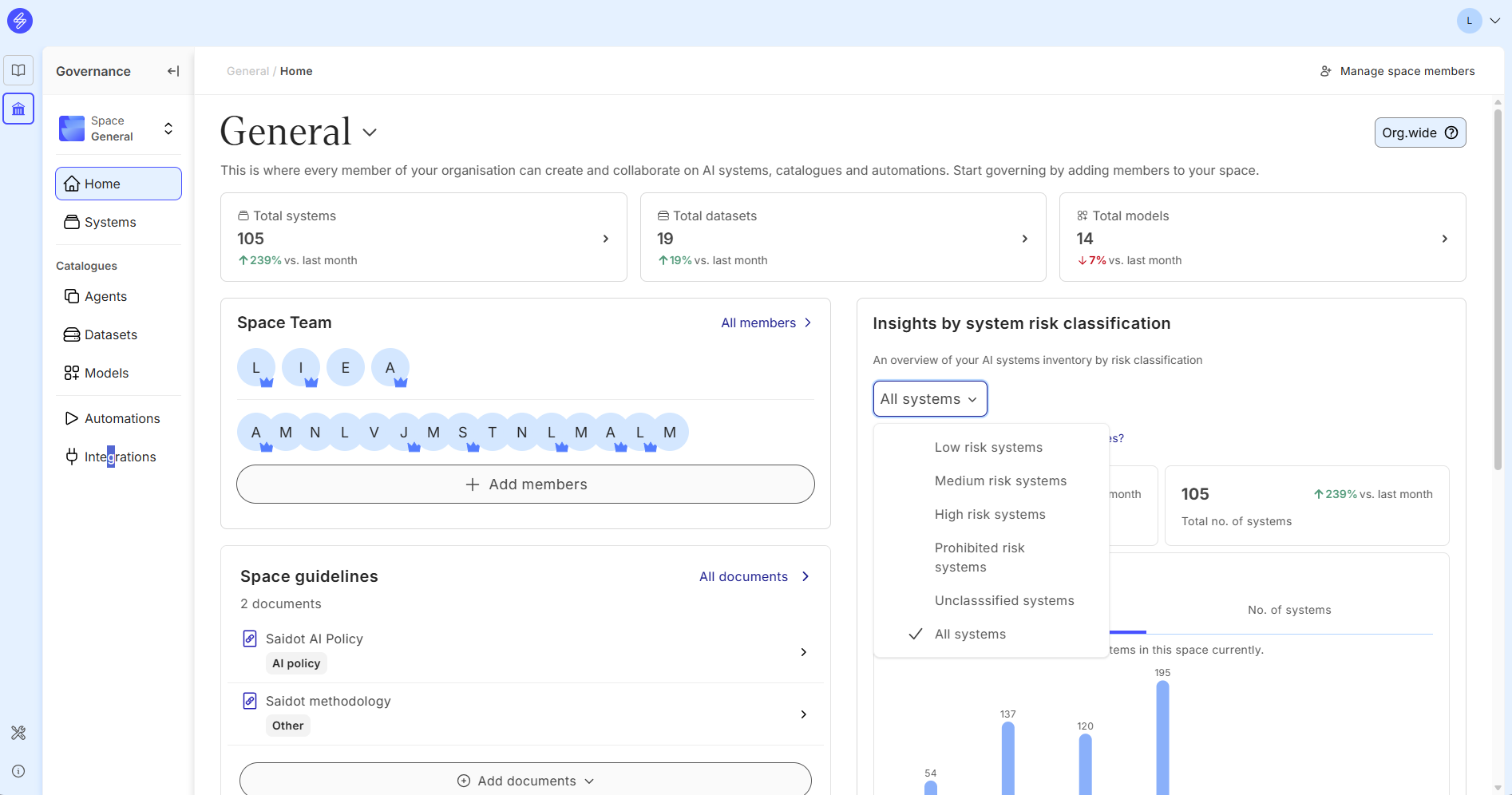
Saidot enables you to classify your systems based on
-
Based on overall risk level with manual selection
-
Based on inherited risk level from components
-
Based on the EU AI Act, using specific automation
-
Based on the level of importance
AI system classification in general helps the organisation to
-
Analyse, filter and search AI systems from the Inventory
-
Focus governance effort to the AI systems with higher risk level (right-size governance)
-
Review and audit AI system specific governance
-
Define risk level based documentation standard and governance tasks
-
Balance risk level with expected benefits and importance to the business
-
Manage AI system inventory and portfolio
Defining the risk level manually
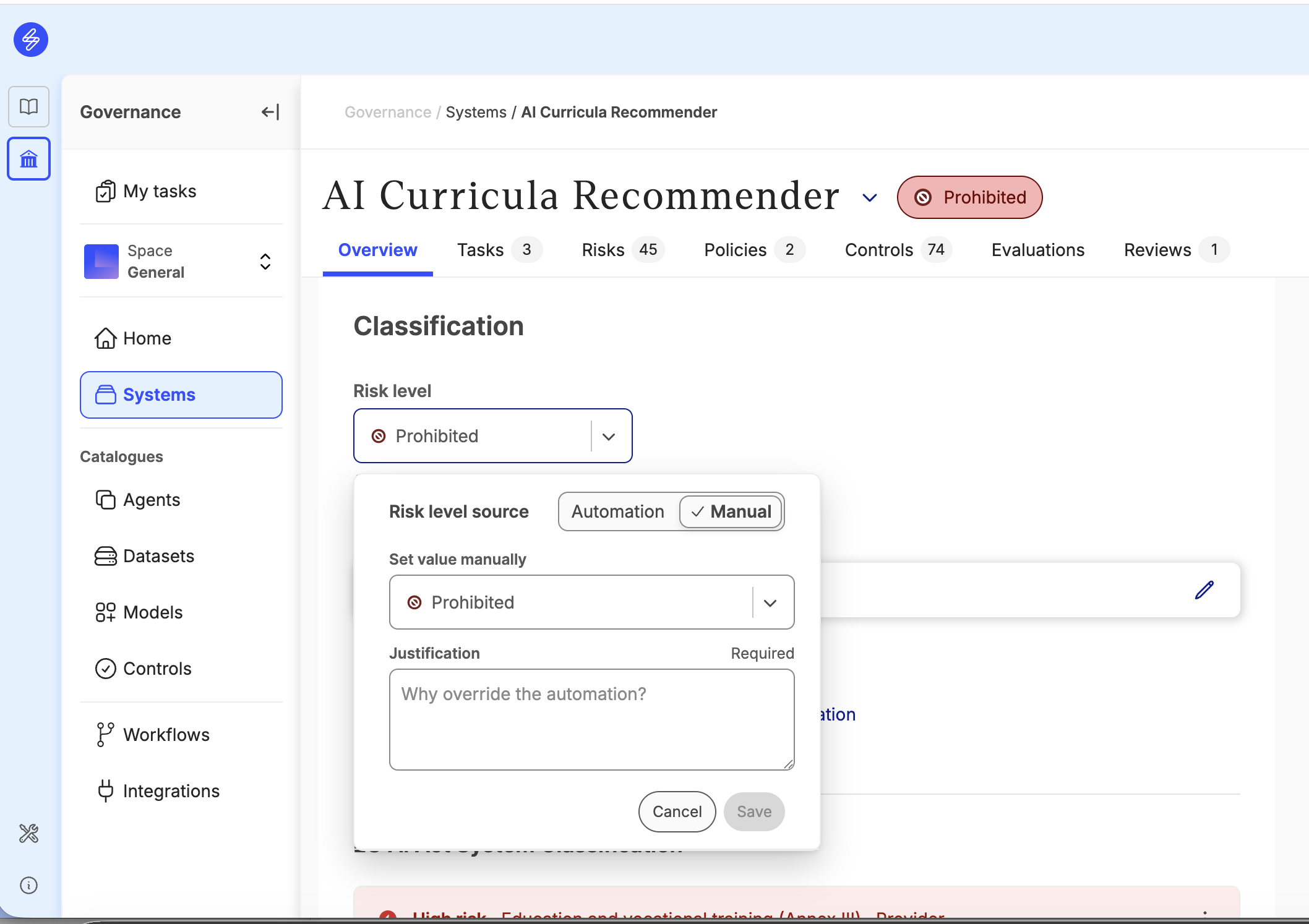
The overall risk level of the AI system can be defined manually by selecting from the alternatives:
-
Low risk (Minimal or no potential regulatory of business risk)
-
Medium risk (Some potential of regulatory or business risk)
-
High risk (Significant potential of regulatory or business risk)
-
Prohibited (The AI system is prohibited due to regulatory or business risk)
We recommend to analyse and define the company-specific criteria for general AI system risk classification. The criteria can take into consideration a wide variety of security, privacy, copyright, business, contractual, cost or regulatory factors that impact the overall risk classification. The risk level can be justified.
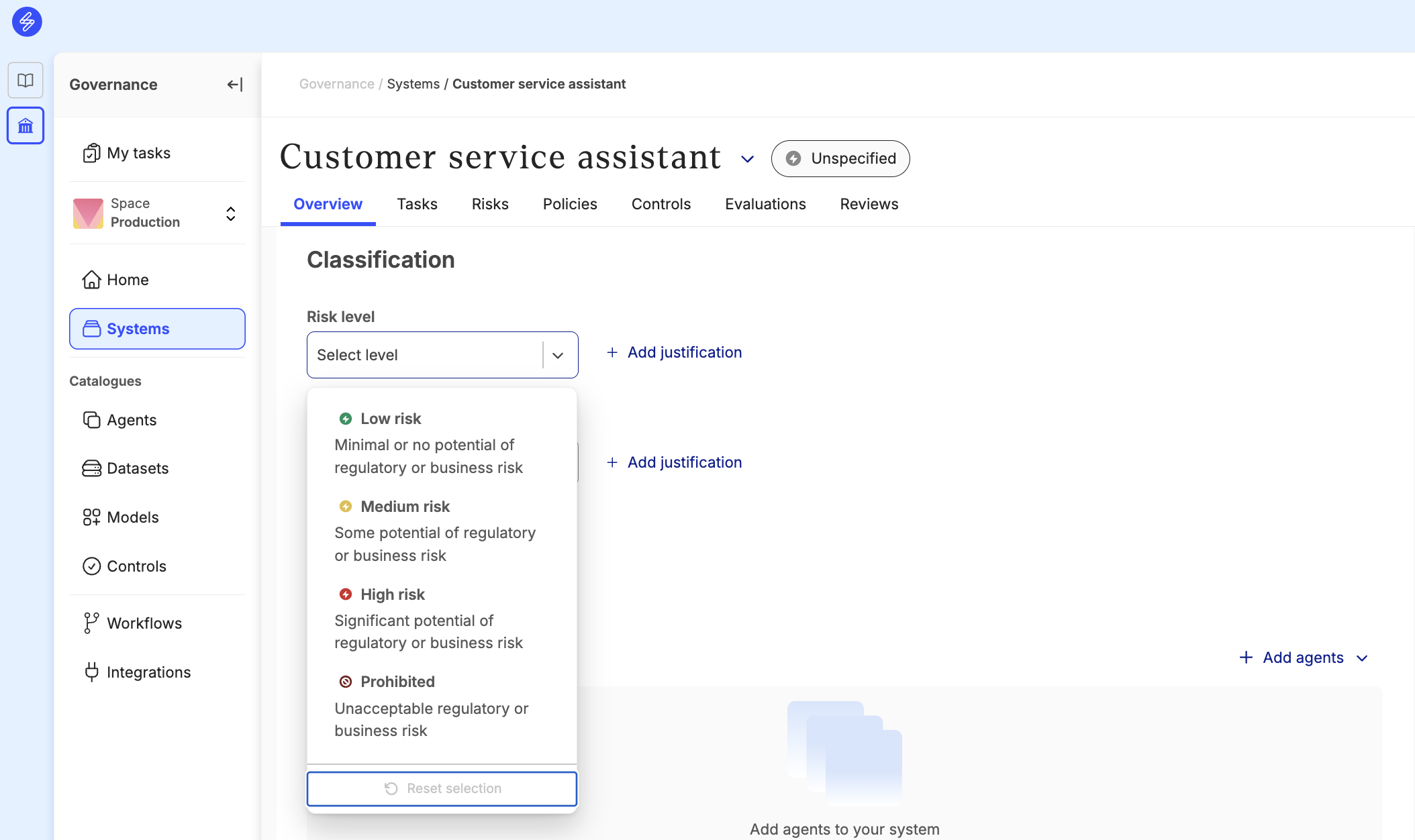
If and organisation has activated the Risk level inheritance workflow, the risk level van be adjusted and overridden manually when selecting “Manual”.
Inheriting the risk level automatically
Members can enable automatic risk level inheritance from the system components. This automation determines the risk level based on system components. When turned on, the classification will change to the highest component specific risk classification.
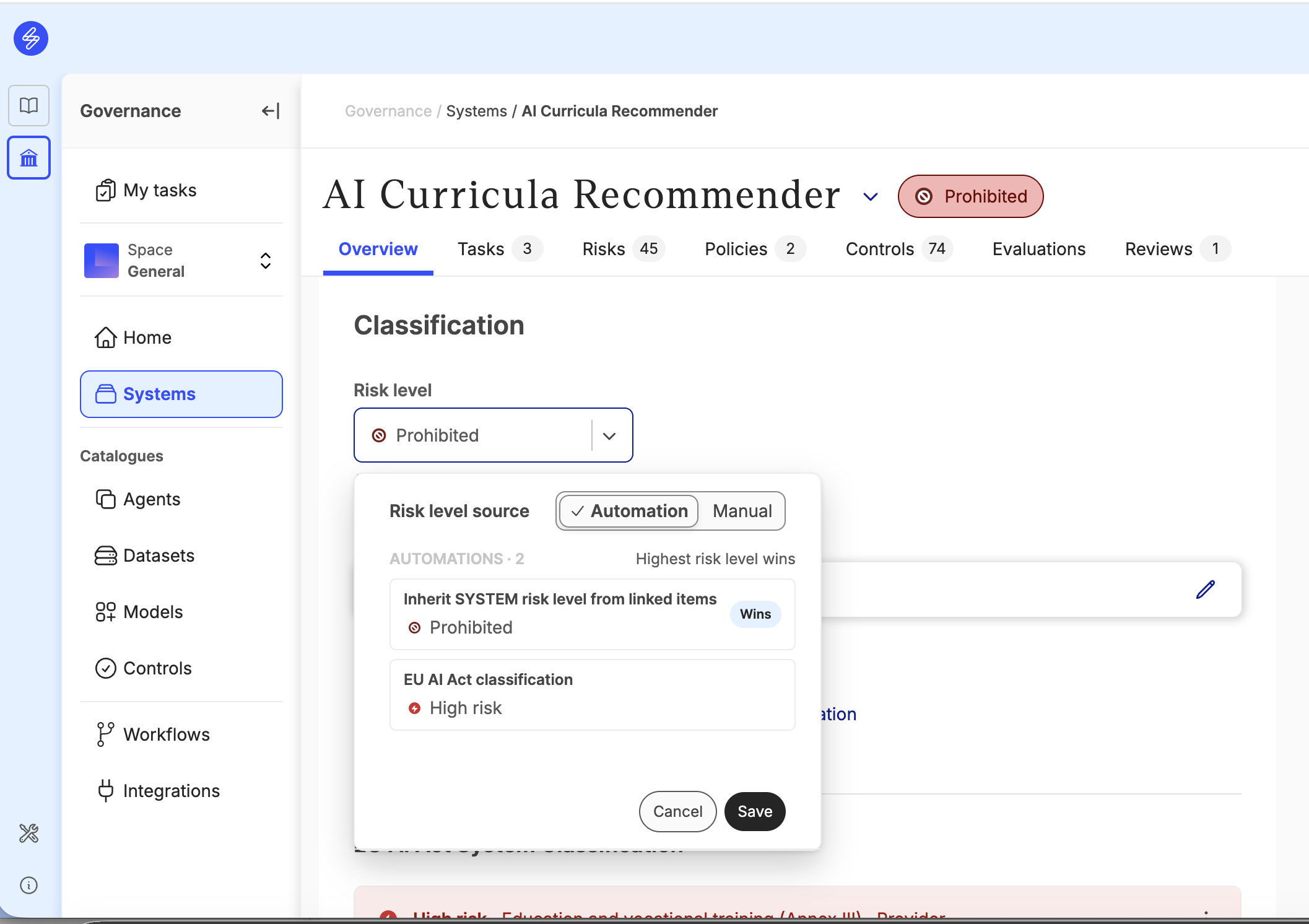
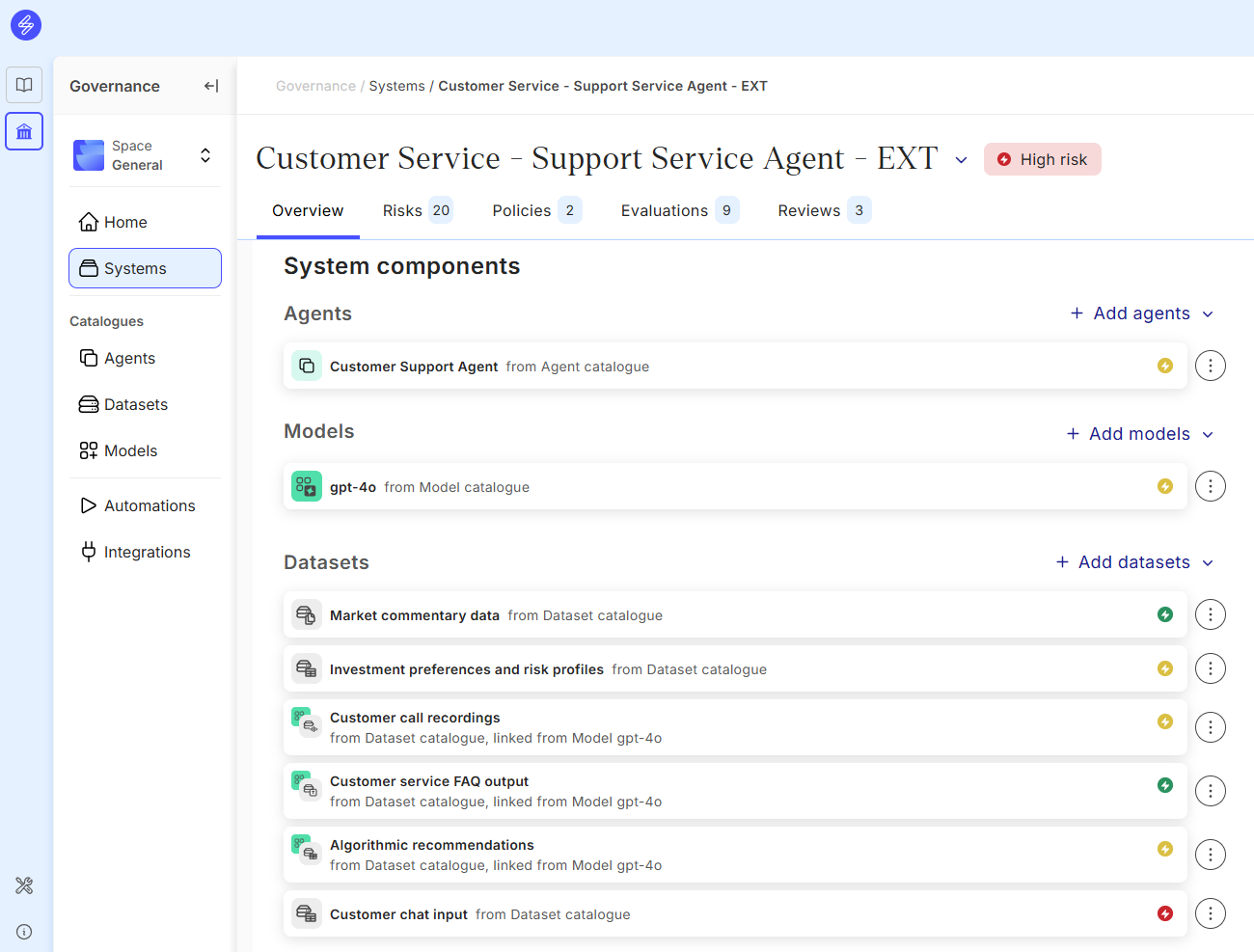
If an AI system has different risk classifications for components, the AI system risk classification is determined based on the highest value. When changing an AI System component risk level, the AI system risk level is changed automatically. This way, the source of the risk level can be identified and managed. The AI system owner can for example eliminate the component that is causing higher risk level or make changes to the component to decrease the risk level.
Adjusting risk level of the components
All the components in the Model Agent and Data Catalogues can be classified according to their risk level. We recommend also to analyse the factors impacting the risk level of each component type and create a guideline for users to ensure that classification is done consistently.
Model risk level
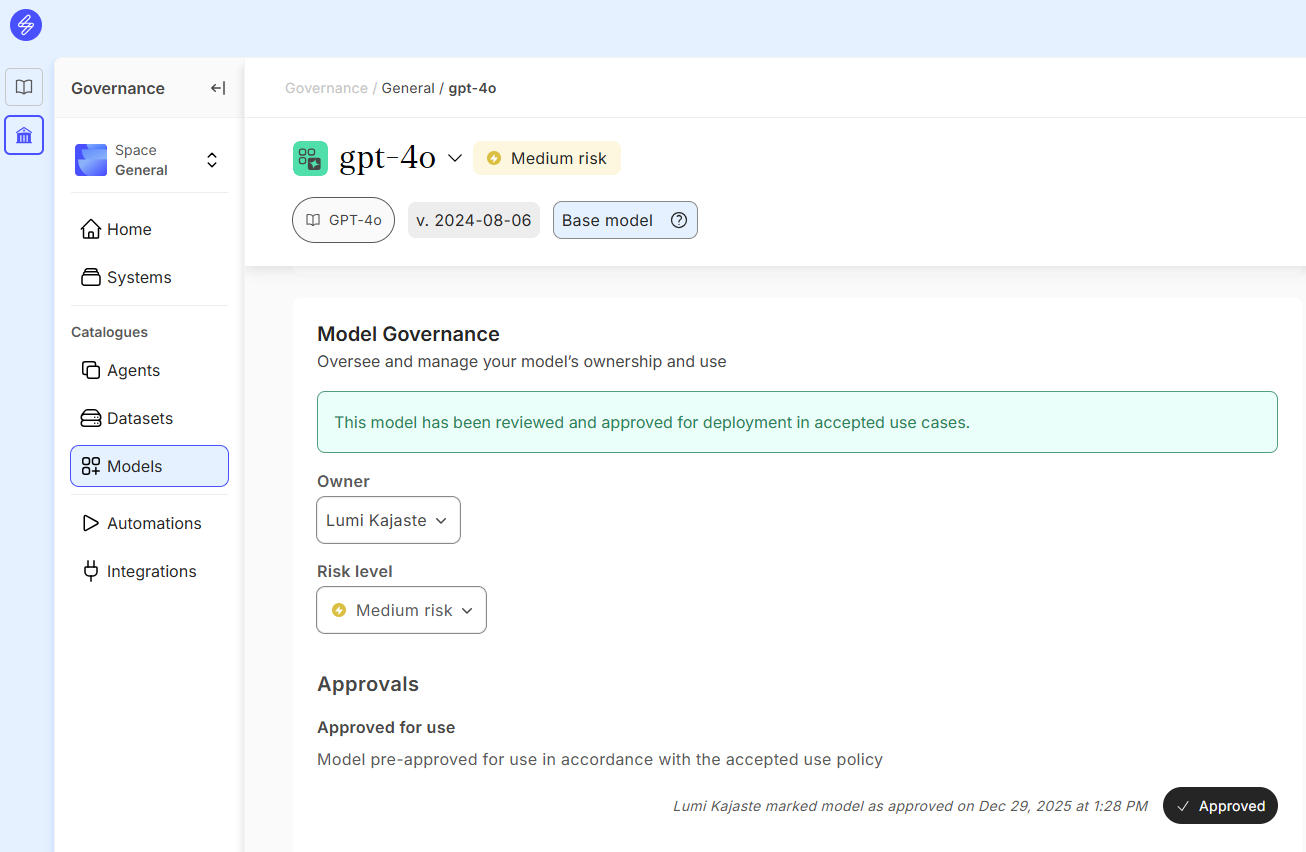
Model risk level can be adjusted manually in the model card.
Agent risk level
Agent risk level can be adjusted manually or automatically based on Agent tool access and Tool risk level. The risk level inheritance automation can be turned on or off in the Agent card. Adjusting the agent risk level manually is needed for example when there are no Tools linked to the Agent or the Agent risk level differs from the one inherited from the tools.
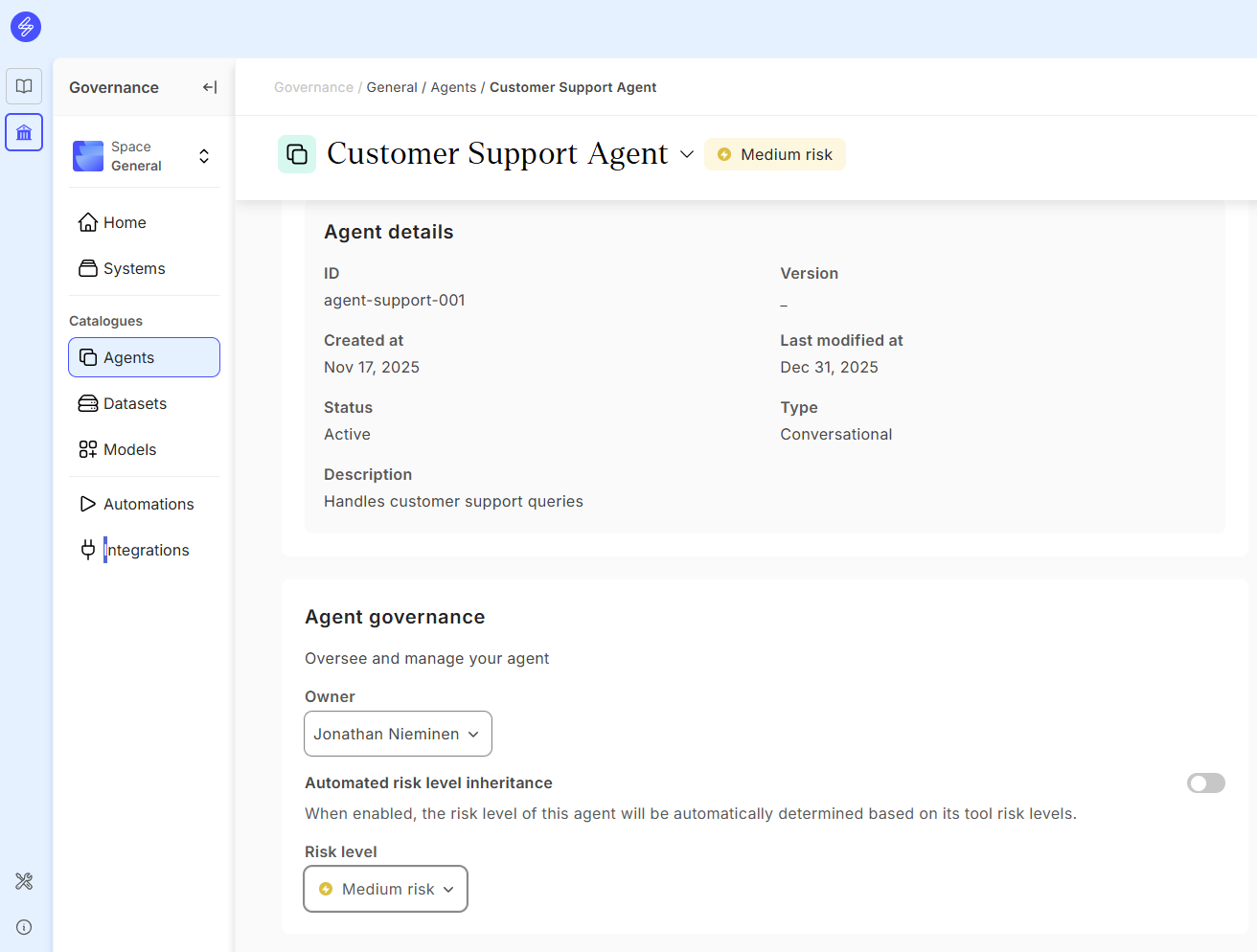
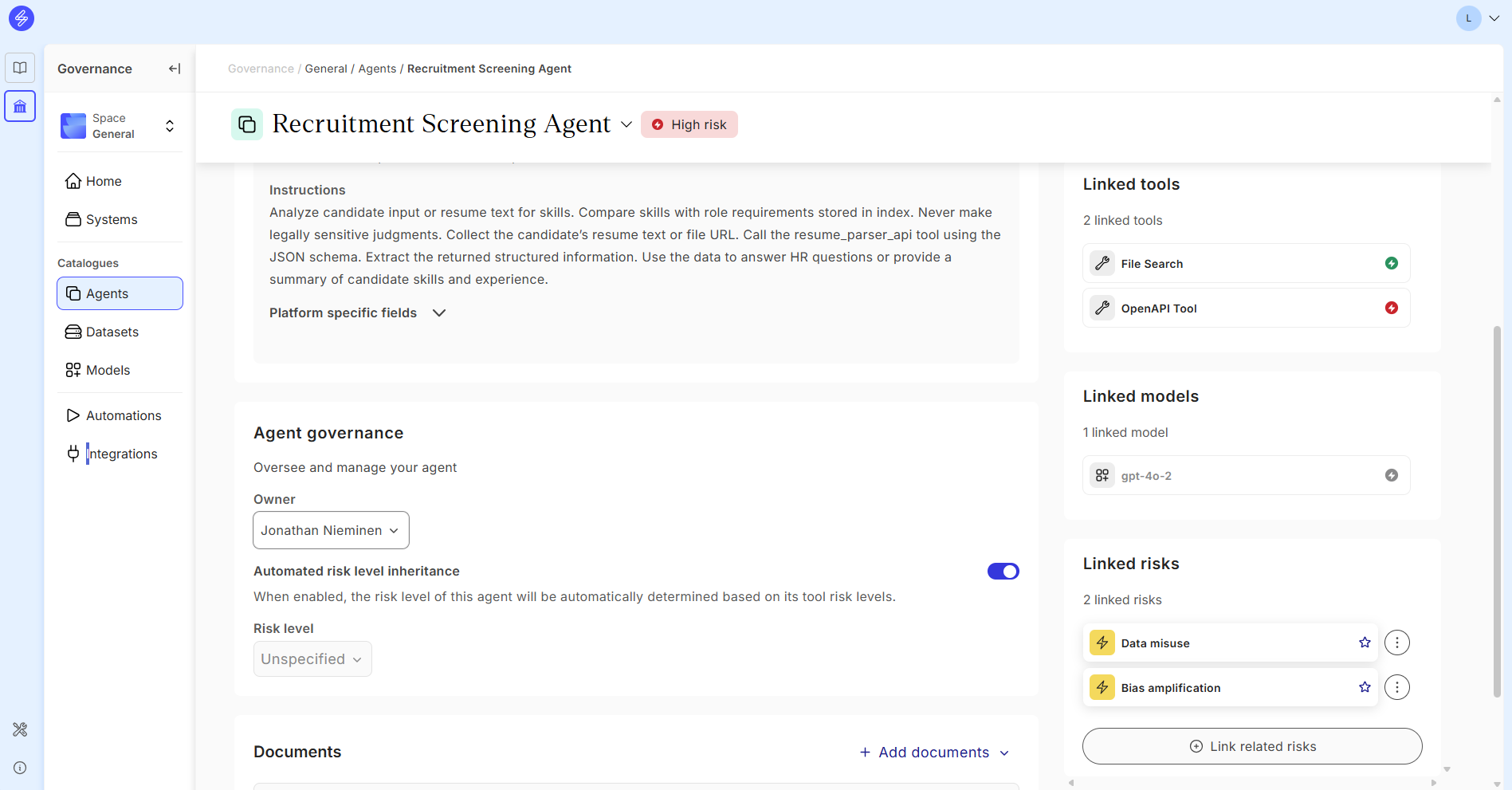
When automated risk level inheritance is turned on and enabled using the toggle, the agent risk level will be automatically determined based on it's tool risk levels. If the tool risk level changes, it will automatically change the agent risk level. If the Tools have no risk levels specified, the Agent risk level will be unspecified.
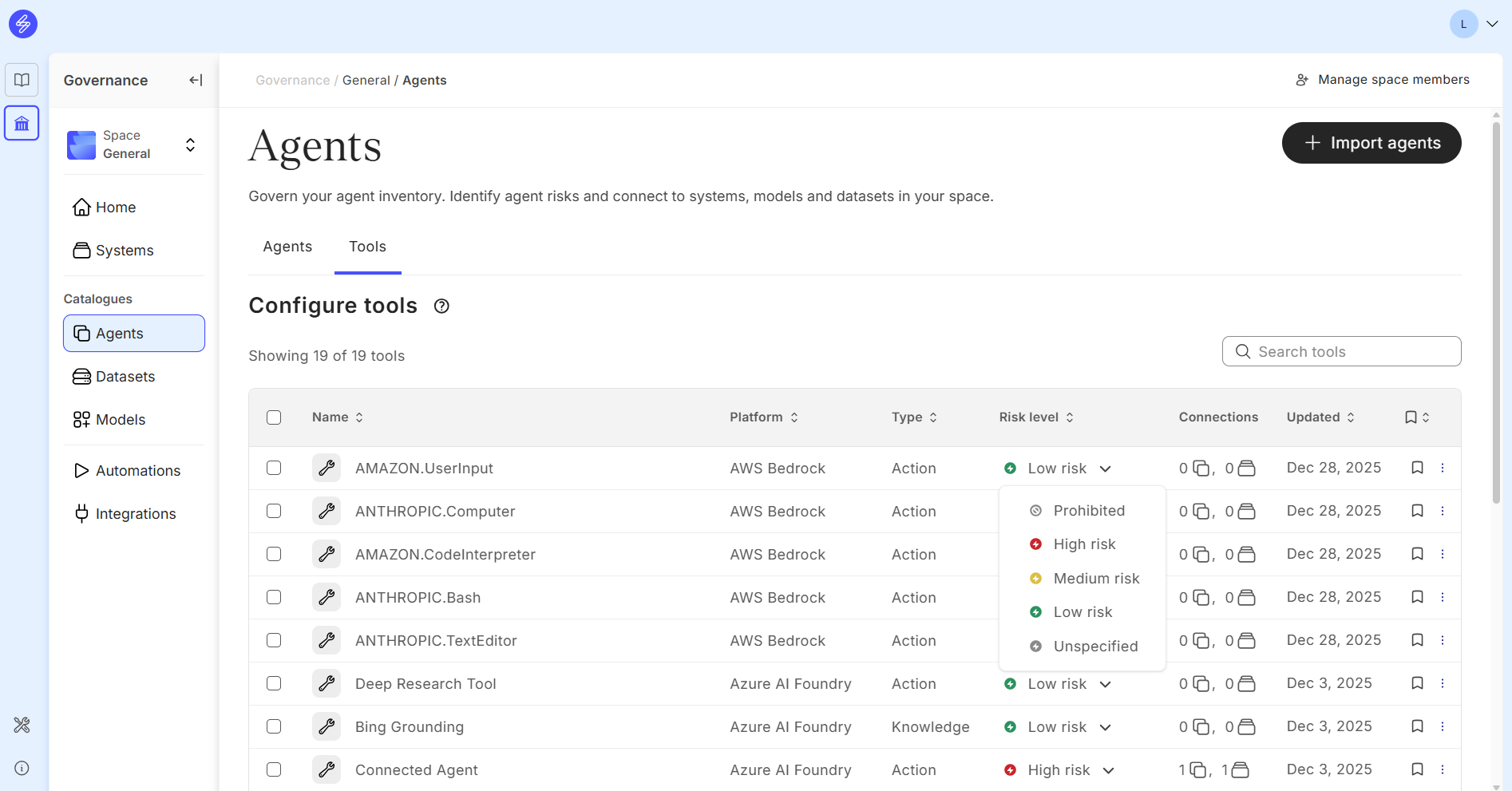
The tool risk levels can be adjusted directly in the Tools view.
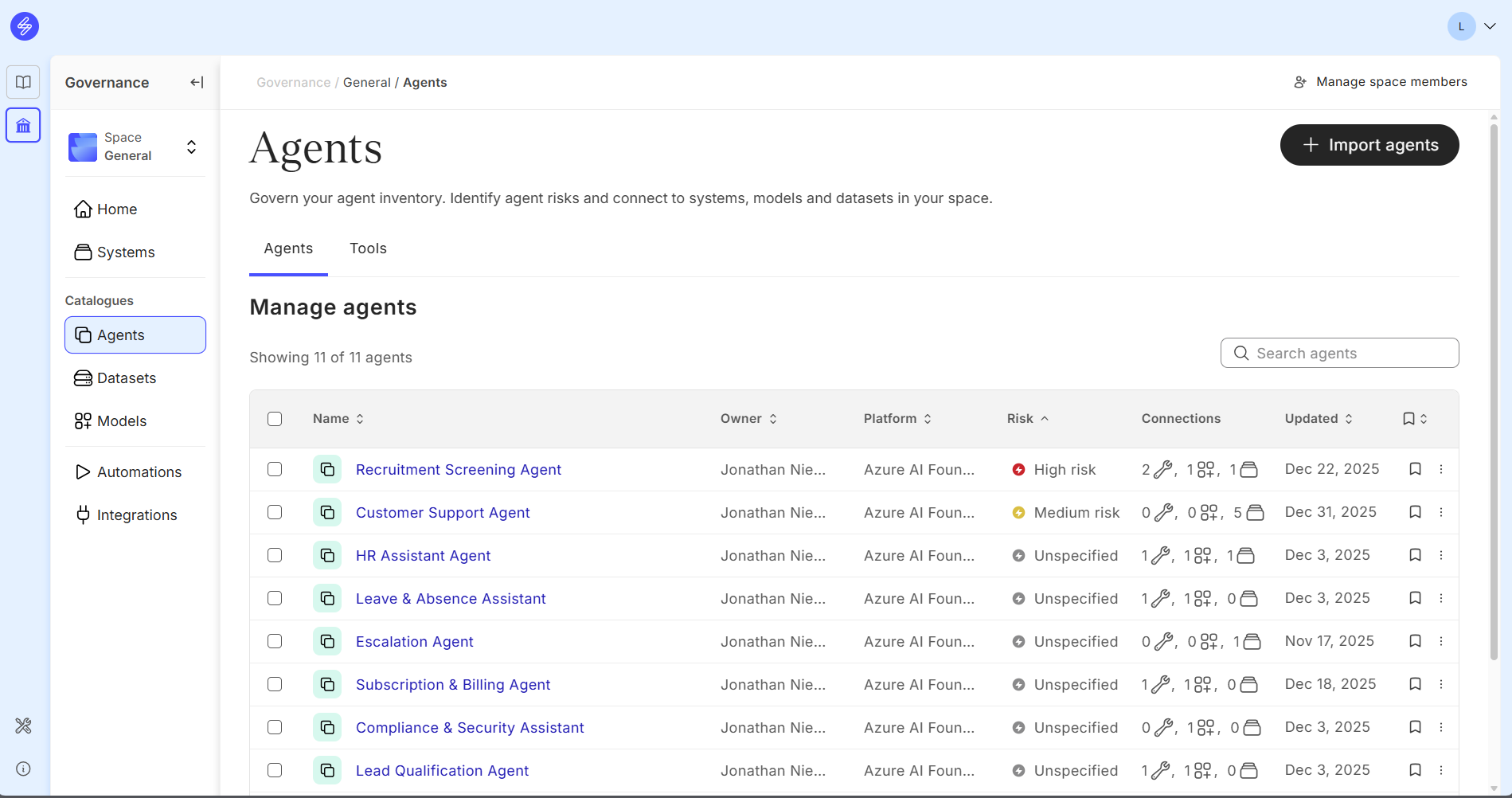
Agent risk levels can be analysed and filtered in the Agent Catalogue main view.
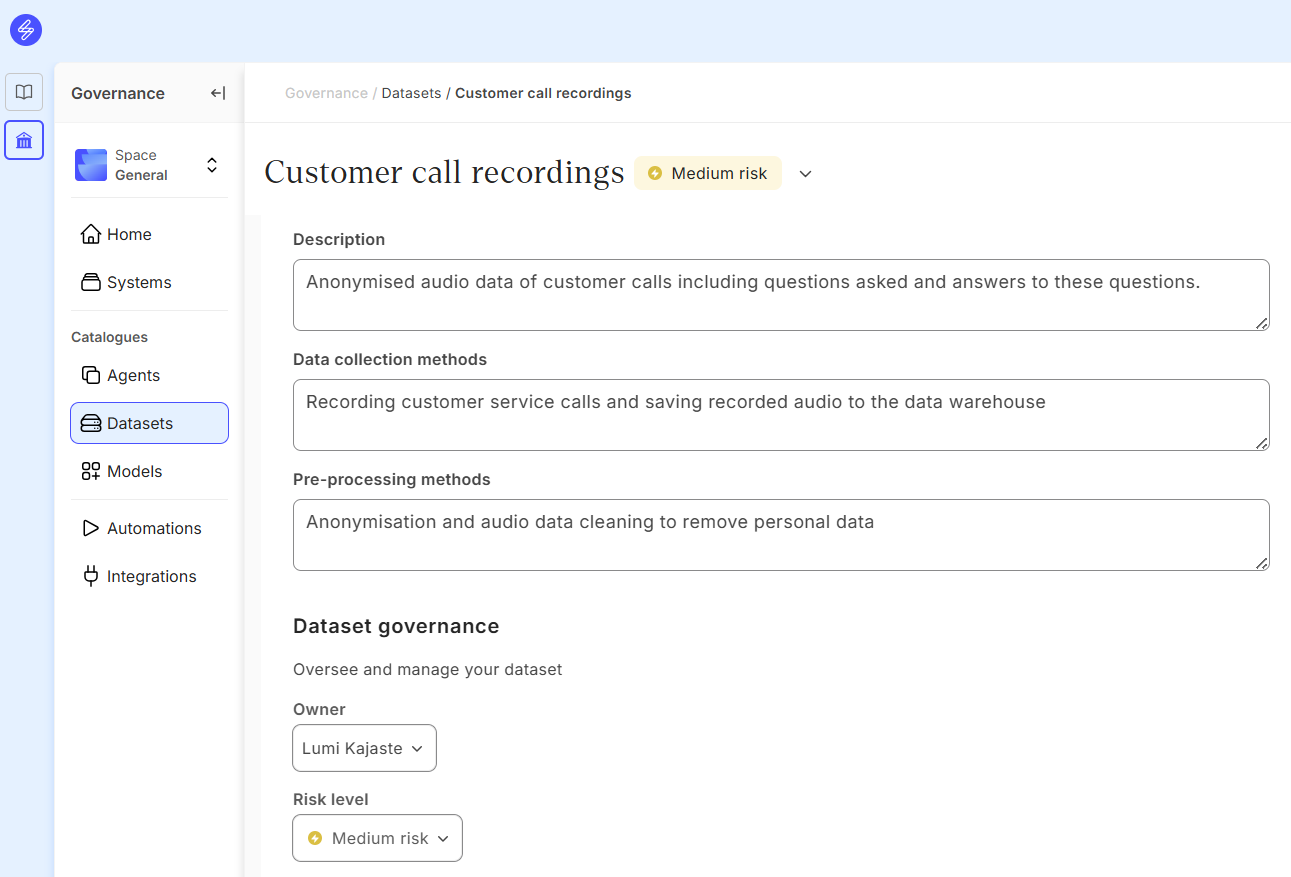
Dataset risk level
Dataset risk levels can be adjusted in the Dataset card Governance section.
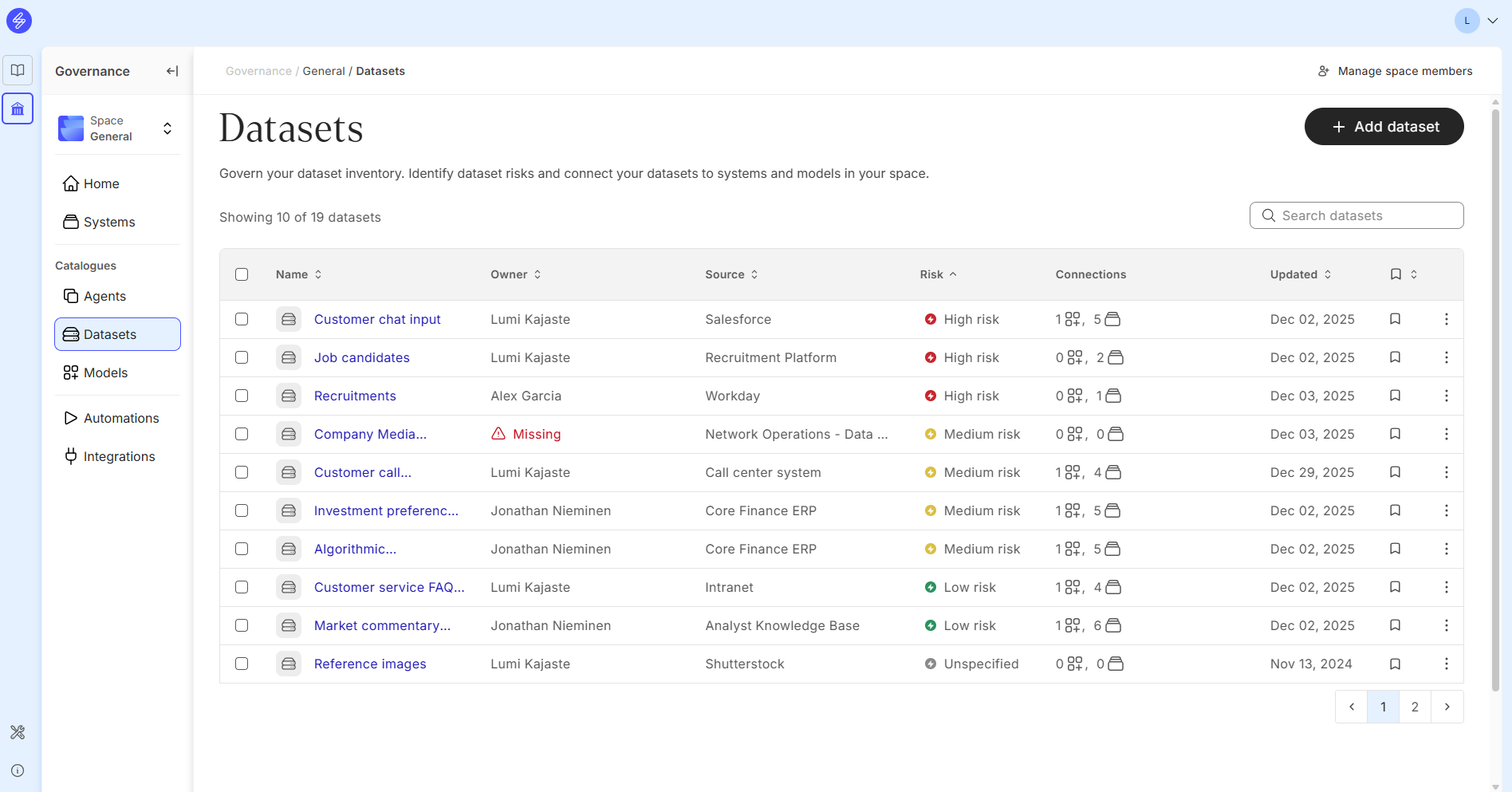
Dataset risk levels can be analysed in the Dataset Catalogue main view.
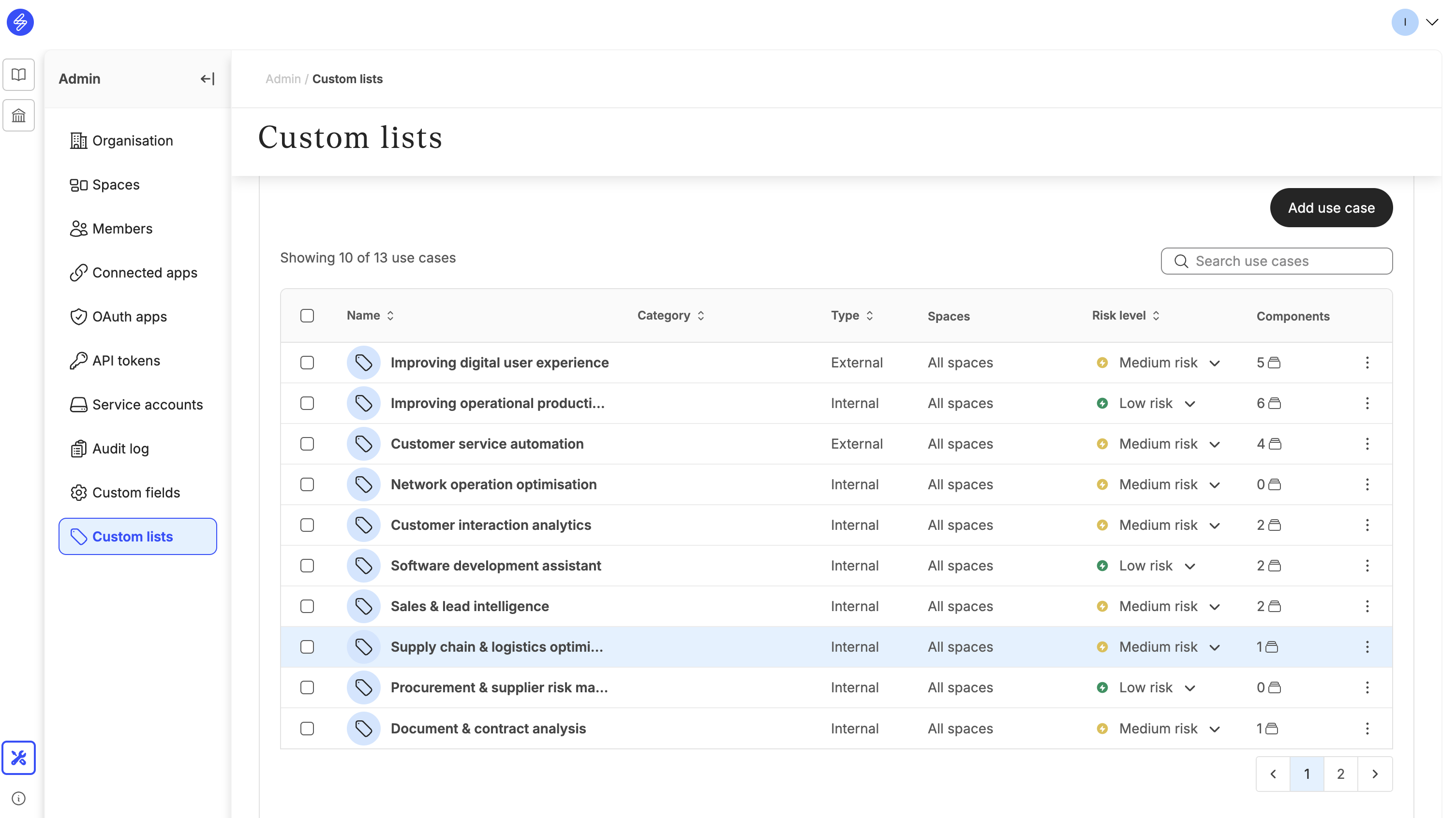
The risk level can also be inherited from use cases, if an Admin has updated the classified use case list and an use case is linked to the System.
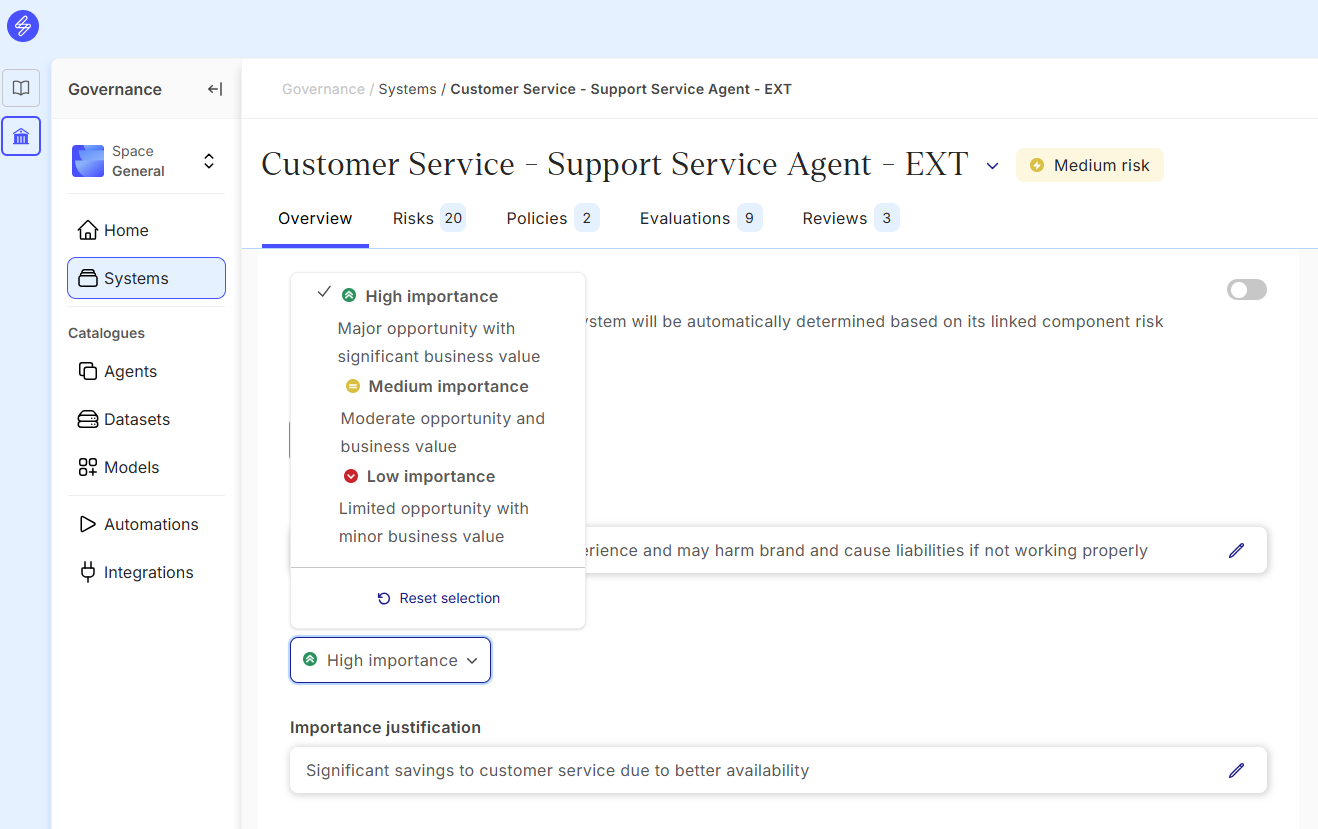
Define the level of importance manually
The level of importance can be set manually for all systems. The company can define their own criteria for evaluating the levels of importance, including monetary and non-monetary benefits to the business, customers and employees. Setting the level of importance helps to manage the AI system portfolio and focus on the AI systems with highest importance and risk level ratios.
EU AI Act classification
AI systems can also be classified according to the European Artificial Intelligence Act (AI Act). This classification workflow is enabled in the Automations. The organisation can decide if the organisation is using the manual classification or the AI-assisted classification. The AI feature is turned off by default.
The EU AI Act Classification automation helps you perform the following processes:
-
Classify systems based on the EU AI Act specific classification rules, identifying the EU AI Act system categories and roles your organisation performs in relation to the system
-
Identify the requirements specific to your system’s classification outcome
-
Populate the system risk level in alignment with the EU AI Act classification outcome
-
Assign the EU AI Act policy and applicable controls respective to your classification outcome
The classifier uses information from your system to prepopulate responses to AI Act specification classification questions. The quality of the classification depends heavily on the quality of your system data. Our recommendation is to complete the system documentation before starting the classification, including
-
Fill in system context data fields and any custom fields
-
Describe the system’s intended purpose
-
Add any relevant use cases (if enabled by your organisation)
-
Link components from Model, Agent and Data Catalogues or from Model and Product Libraries
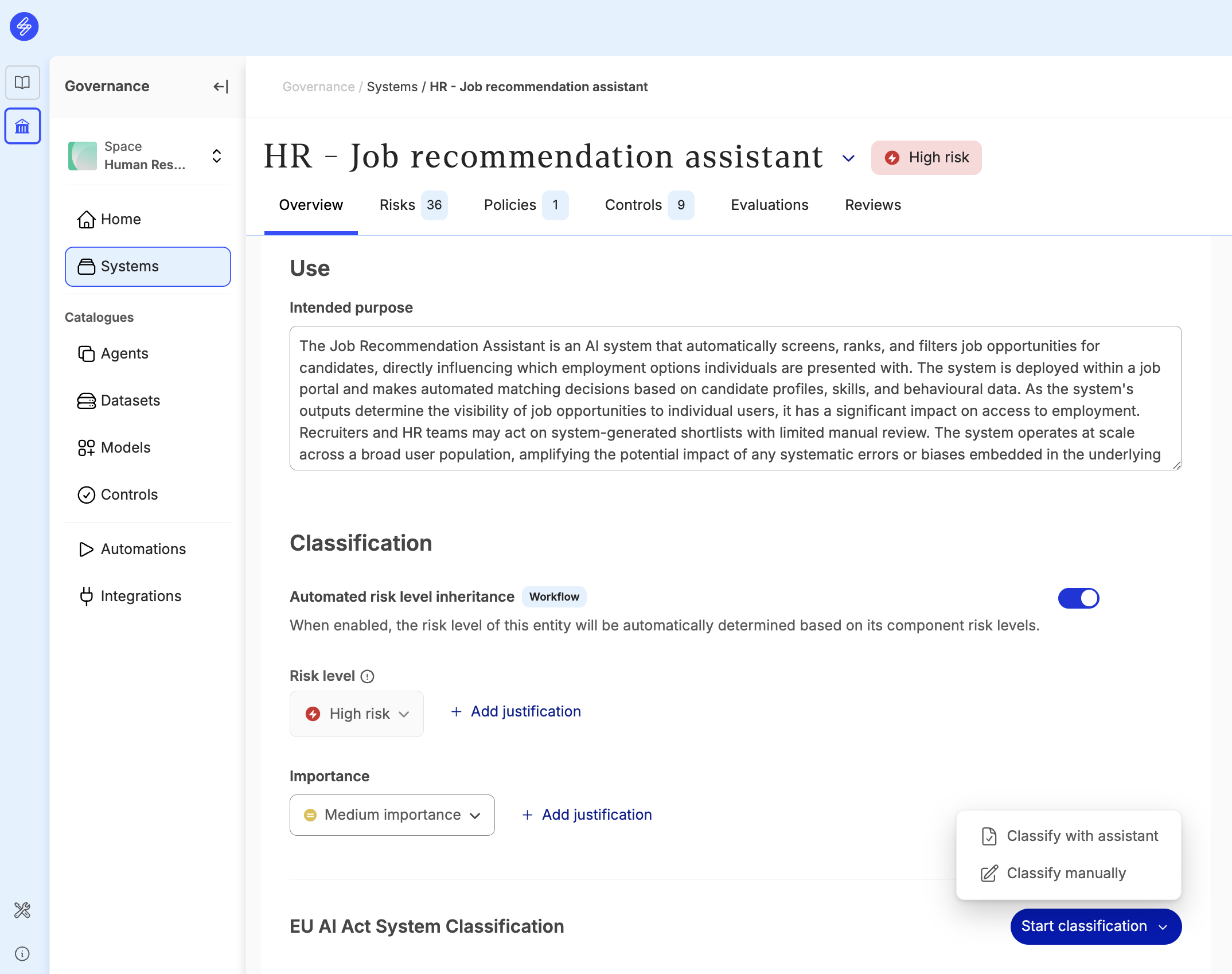
The EU AI Act Classifier has two modes
-
Classify manually: Use this option if you have manually determined the classification outcome and want to record your outcome in your system.
-
Classify with an assistant: We recommend to use the assistant as a default. This option uses AI if enabled by your organisation (recommended). The AI mode is turned off by default. If AI mode is not enabled, assistant will only extract answers from specific context fields.

Classify with an assistant
The EU AI Act classifier has several questions specific to EU AI Act with terminology and options clarified. The AI assistant analyses your system data to auto-populate the classification questions. Where it lacks high-confidence data, you'll be asked to provide the input manually. All AI-generated answers are labelled and can be overridden manually.
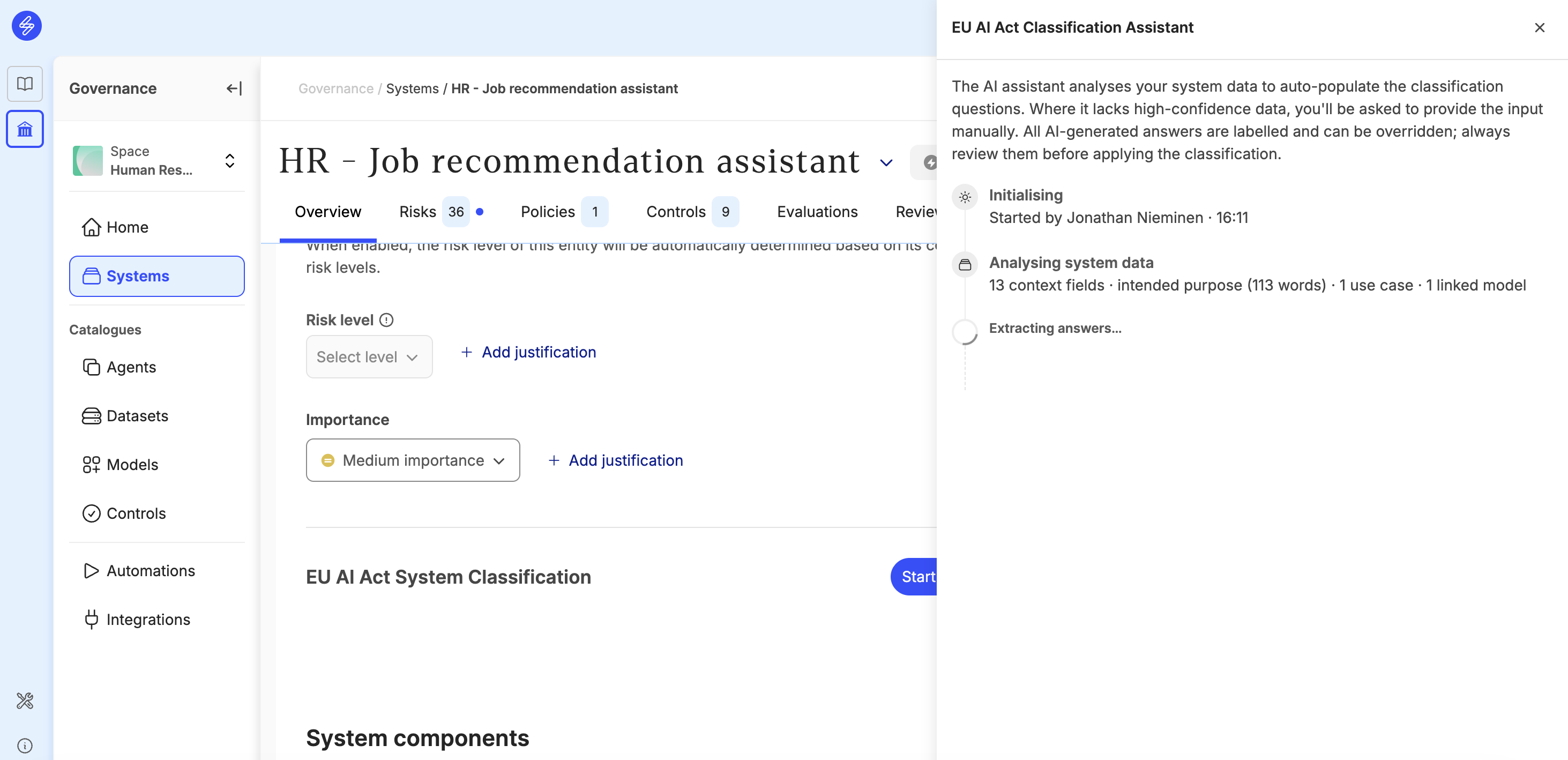
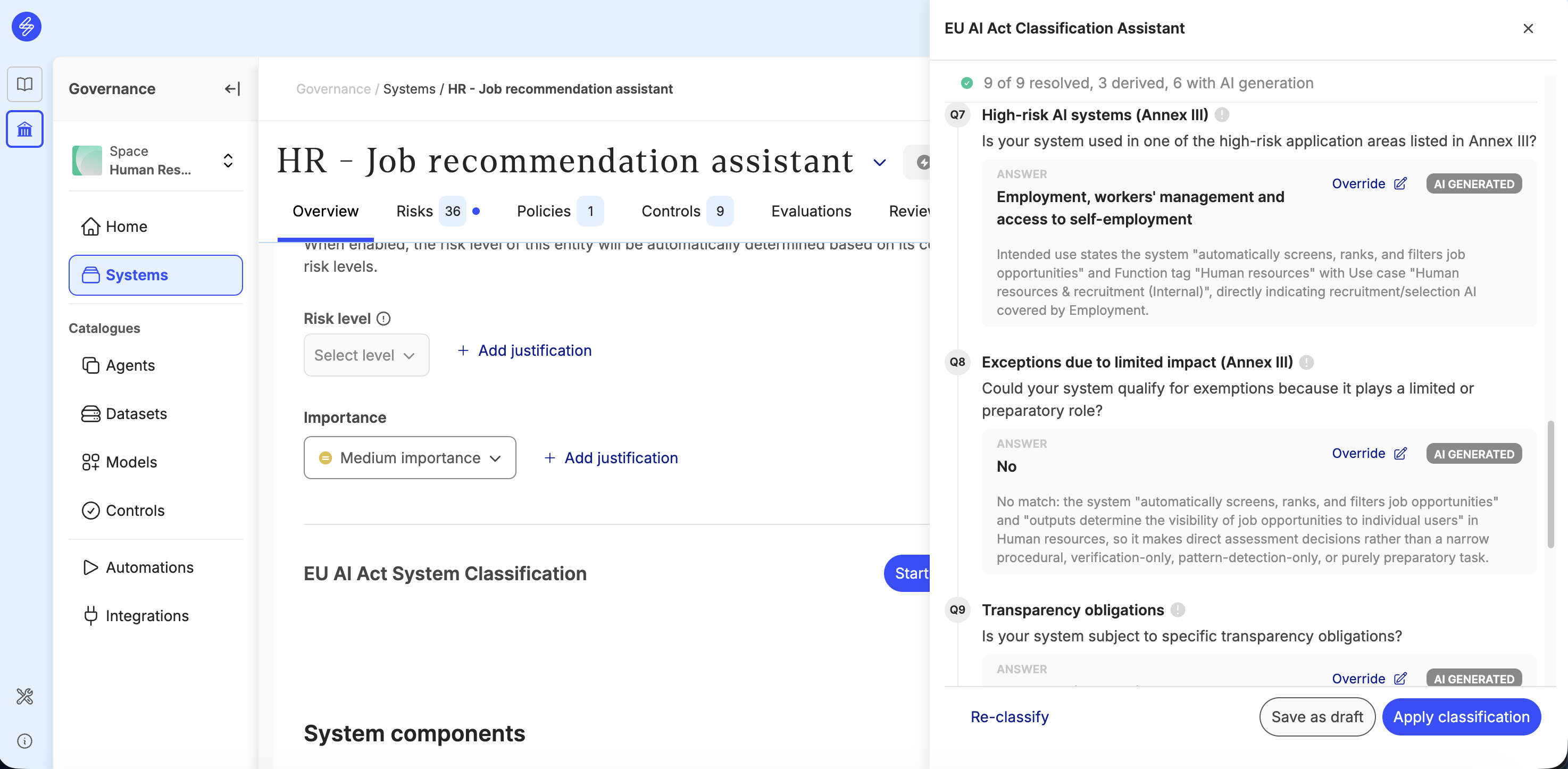
After populating answers to all questions, you will receive a provisional classification. You can still modify any of the answers to input questions and see the impacts in the resulting provisional classification outcome. Make sure you review all AI-generated answers and modify answers wherever needed. After reviewing the answers and modifying wherever needed, the classification can be saved as a draft and reviewed before applying it.
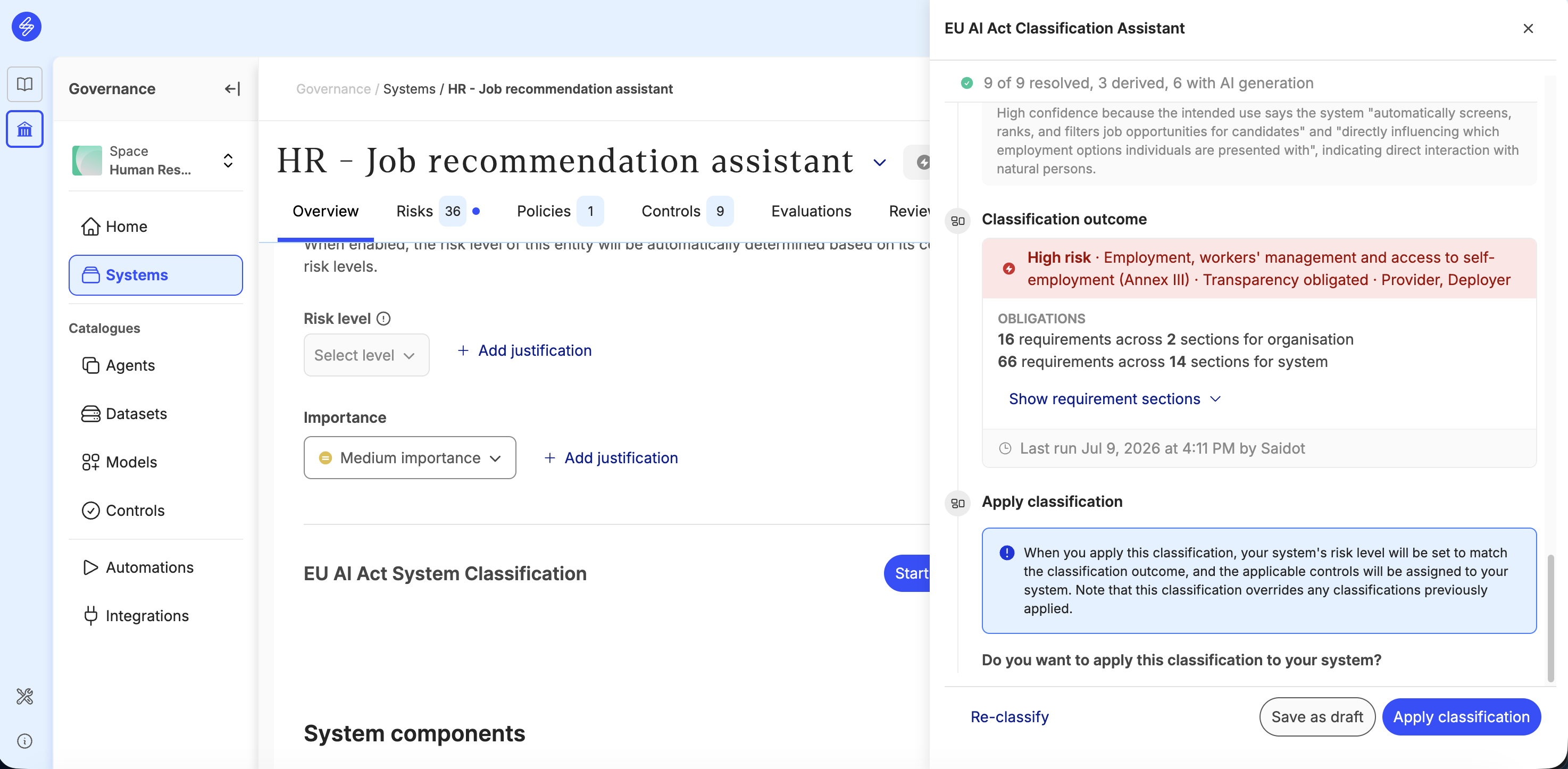
After saving the AI Act Classification as a draft, the given answers can be reviewed and further edited if needed before applying them to your system. You can continue editing your saved classification draft by pressing ‘Edit draft’ button from the draft classification card in your system overview page.
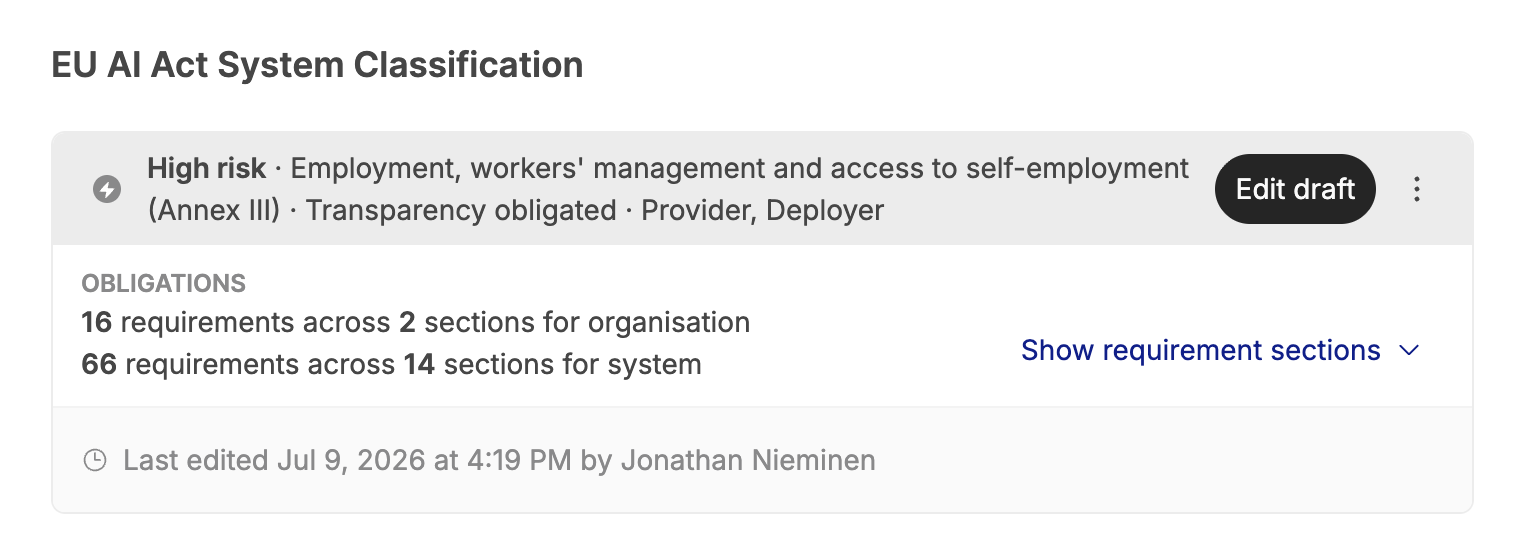
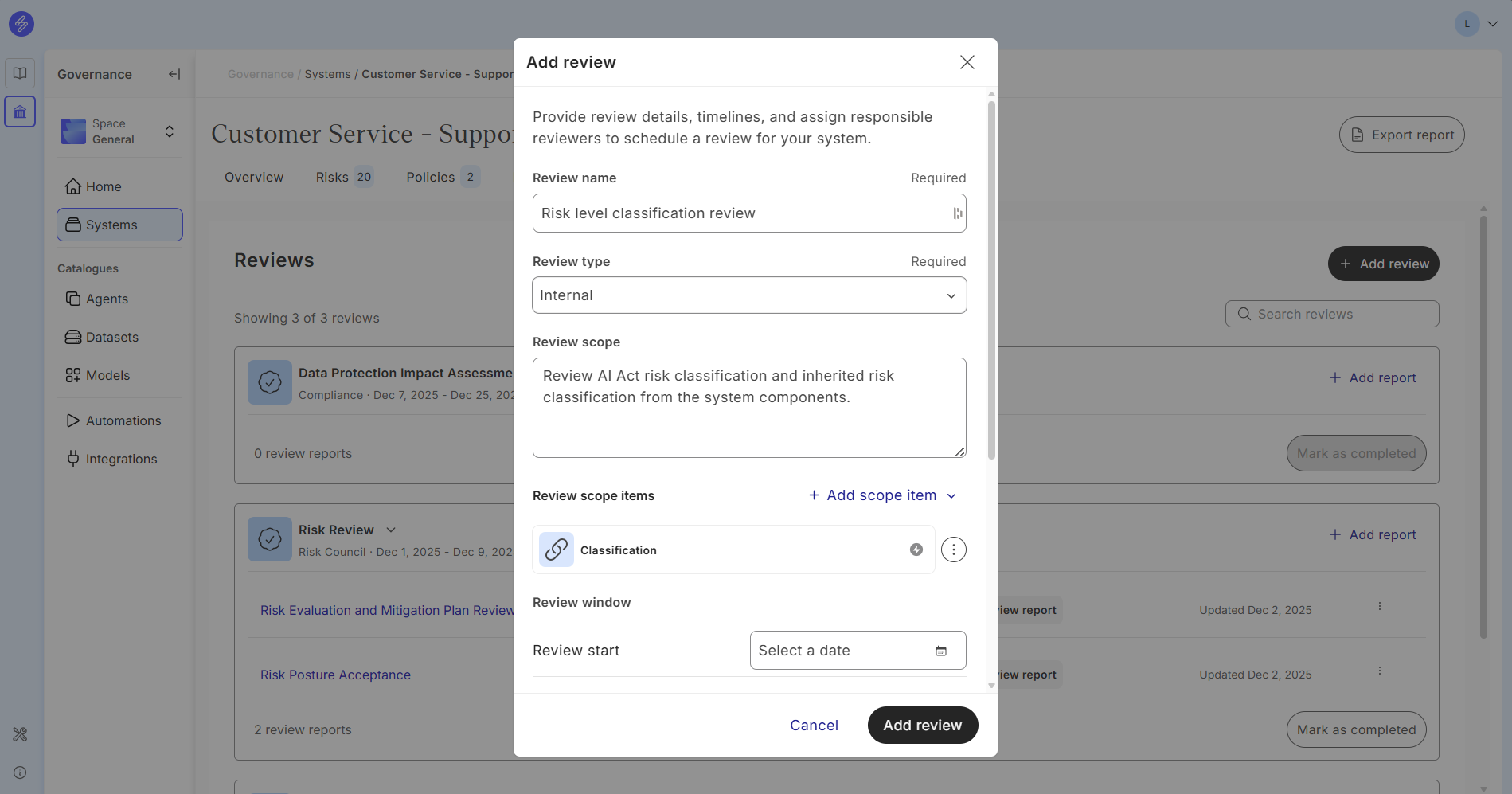
If needed and guided by your organisation’s AI governance process, a review task can be created and assigned to your legal and compliance team by linking the classification to the review scope item.
When you are ready to apply the classification, click the ‘Edit draft’ button in your draft classification outcome card, and scroll to the bottom of the classification assistant drawer to click ‘Apply classification’. When you have applied the draft classification, the status of the classification turns Complete. After completing the classification, you will not be able to edit the classification anymore; however, you can start the classification over by re-classifying.
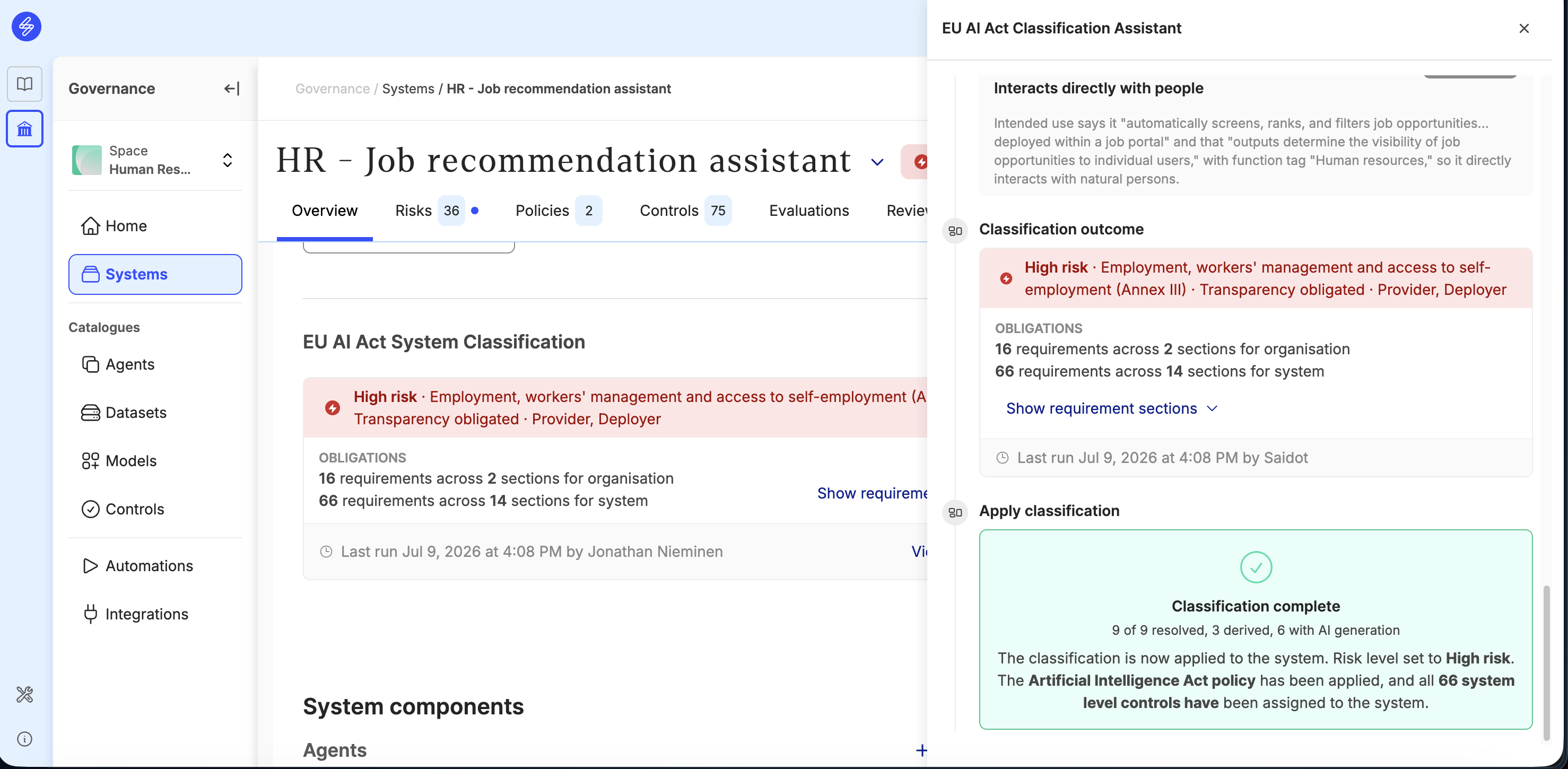
Depending on the classification outcome, the following actions will take place when you apply your classification:
-
Your system’s risk level is updated to match the classification outcome.
-
If the outcome of your classification contains system-level requirements and controls, the Artificial Intelligence Act (AI Act) Policy will be automatically added to the Policy management tab with the right Compliance assessment report. You can review it by clicking on the link. This view allows you to follow the progress of the controls and when they have been completed.
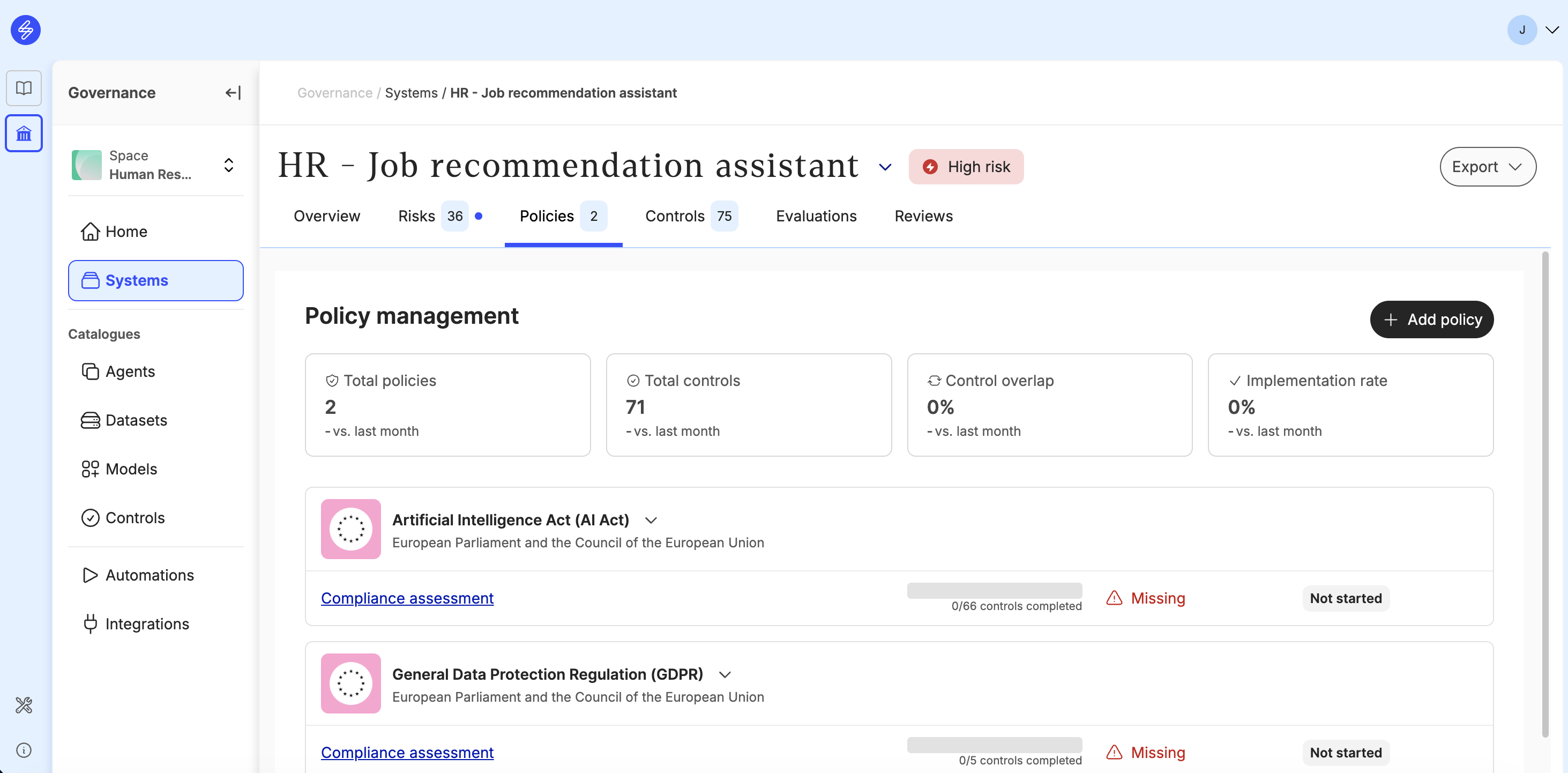
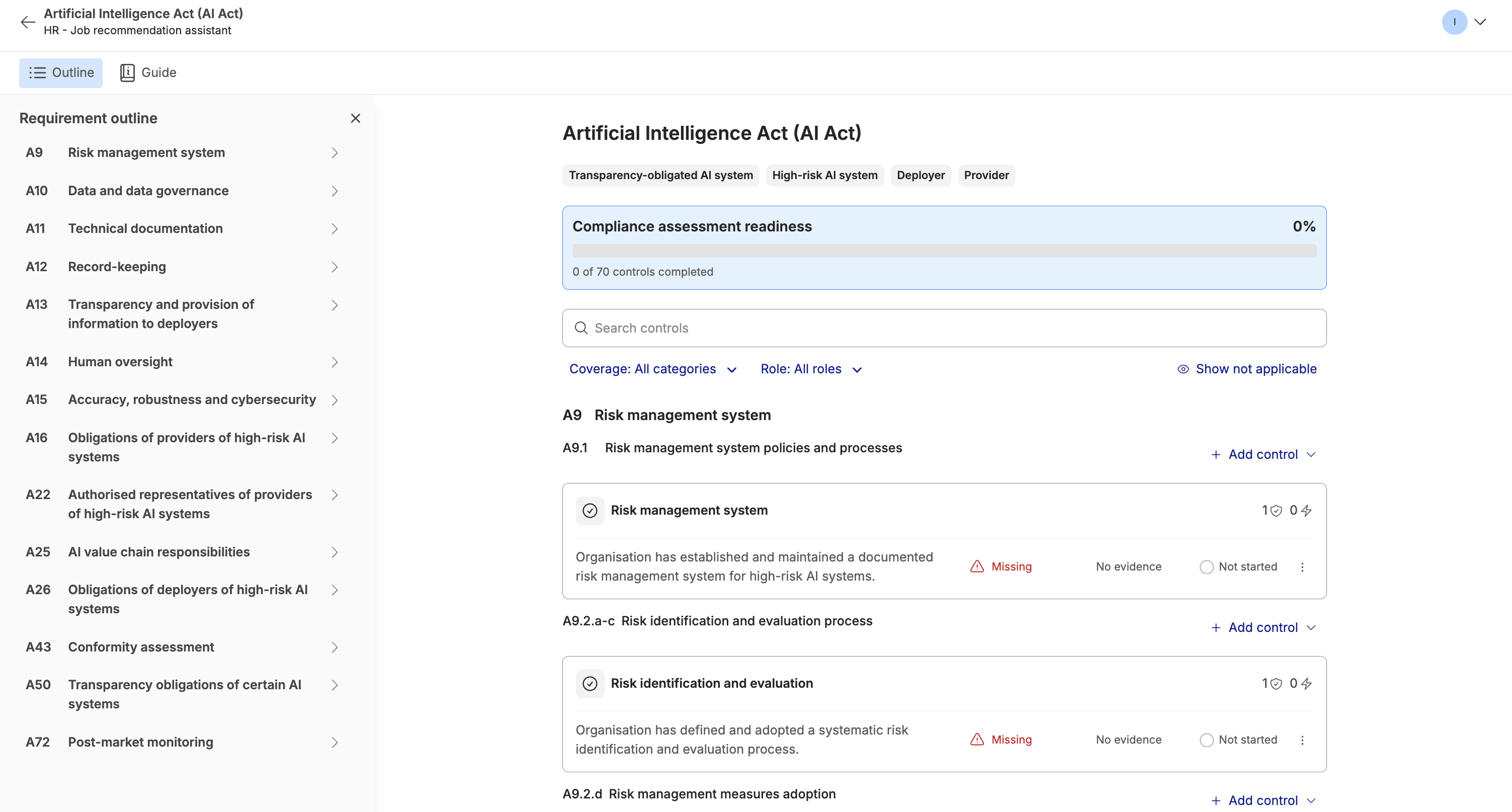
The assessment contains all the system-level controls specific to your classification outcome. Learn more about how to prove your compliance.
Classify manually
Manual classification workflow allows the user to manually override classification by giving details about risk level, categories and roles. When you apply this classification, your system's risk level will be set to match the classification outcome, and the applicable controls will be assigned to your system. This classification overrides any classifications previously applied.
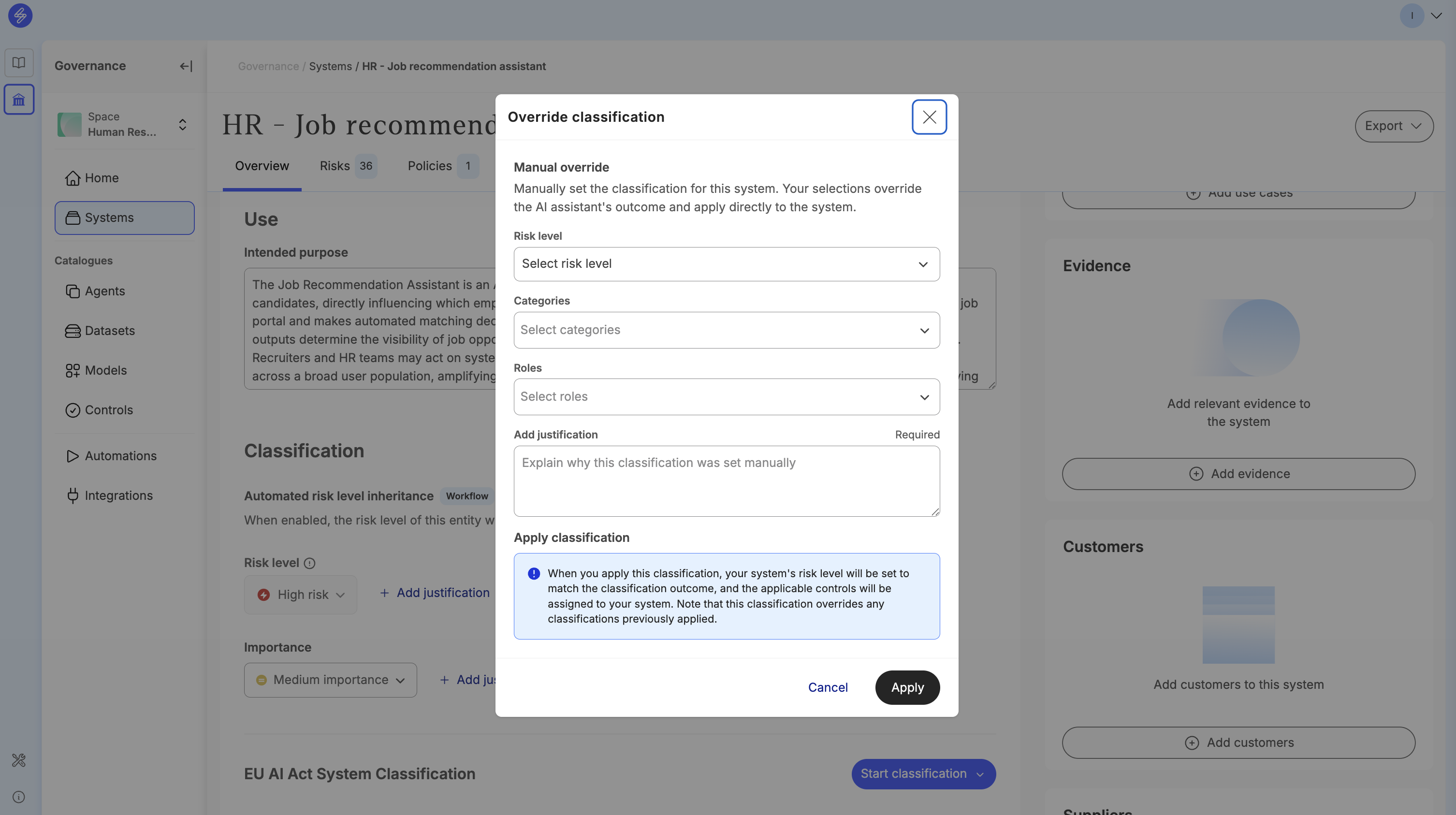
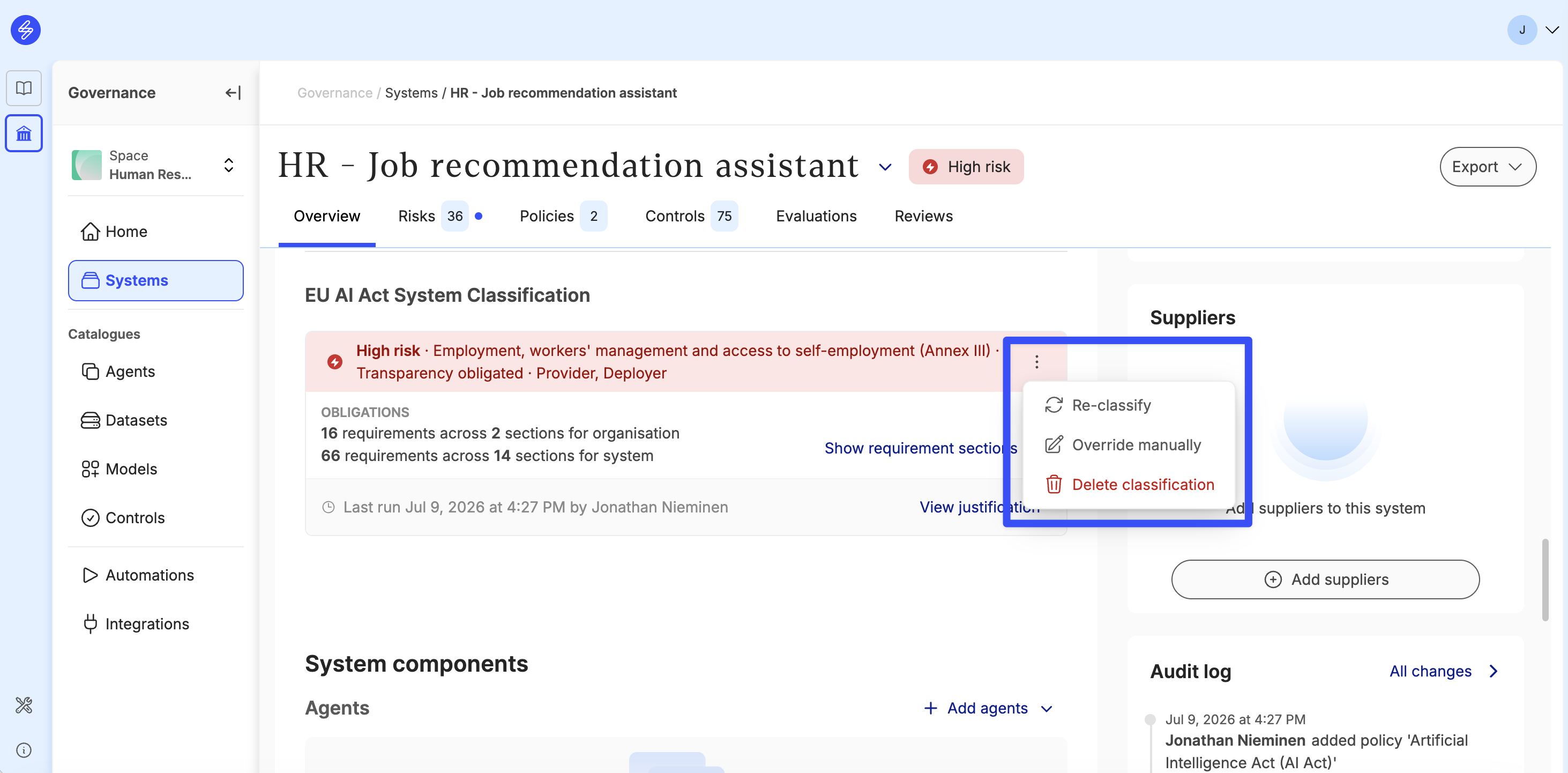
Re-classify or delete classification
You can always start over and either re-classify your system or delete your classification. These actions can be taken from the classification outcome menu. In re-classification, the new classification outcome will replace the previously done classification when applied. Please note that all controls originated from the previous classification that have not been edited by the user prior to applying the re-classification will be deleted. Any controls that have been edited by the user and will not be required by the new classification outcome will be delinked from the AI Act Policy but retained in the system controls tab. This will safeguard you from losing any work done in controls originated from earlier classification versions. When deleting the classification, the non-edited controls originating from the classification outcome will be deleted.
AI system classification review and reporting
A review can be scoped to audit the AI system classification, if required in the organisations AI governance process.
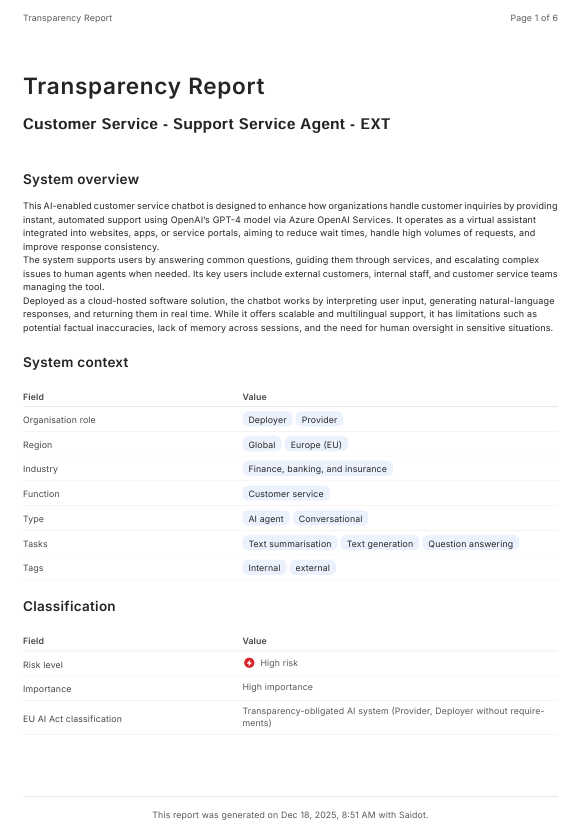
The outcome of the classification is visible also in the Transparency report.
Analyse the AI system inventory based on risk level and importance
AI system inventory can be managed more effectively when AI systems are classified. The AI systems can be sorted and filtered based on classification.