Working with tasks
Tasks are how governance work reaches a named person. Every task carries an owner, a due date, a priority and a status, so it is always clear who is expected to do what and by when.
A task does not hold governance content itself. It points at the object the work concerns — a risk, a control, a policy, a model, a dataset or a review — and links straight back to it. The record of truth stays on that object, so you never work from a copy.
Most tasks are created for you. Saidot knows what a system needs at each lifecycle stage and raises the task itself, rather than waiting to be asked. You can also add a task manually whenever governance work needs doing that no template covers.
Where you find tasks
The same task record appears in two views:
-
My tasks — everything assigned to you, across every system and Space you have access to. Answers the question what do I need to do next.
-
The Tasks tab on a system — everything outstanding for that one AI system, whoever owns it. Answers the question is this system governed and ready to progress.
Completing a task in one view completes it in the other. There is one record underneath, filtered two different ways.
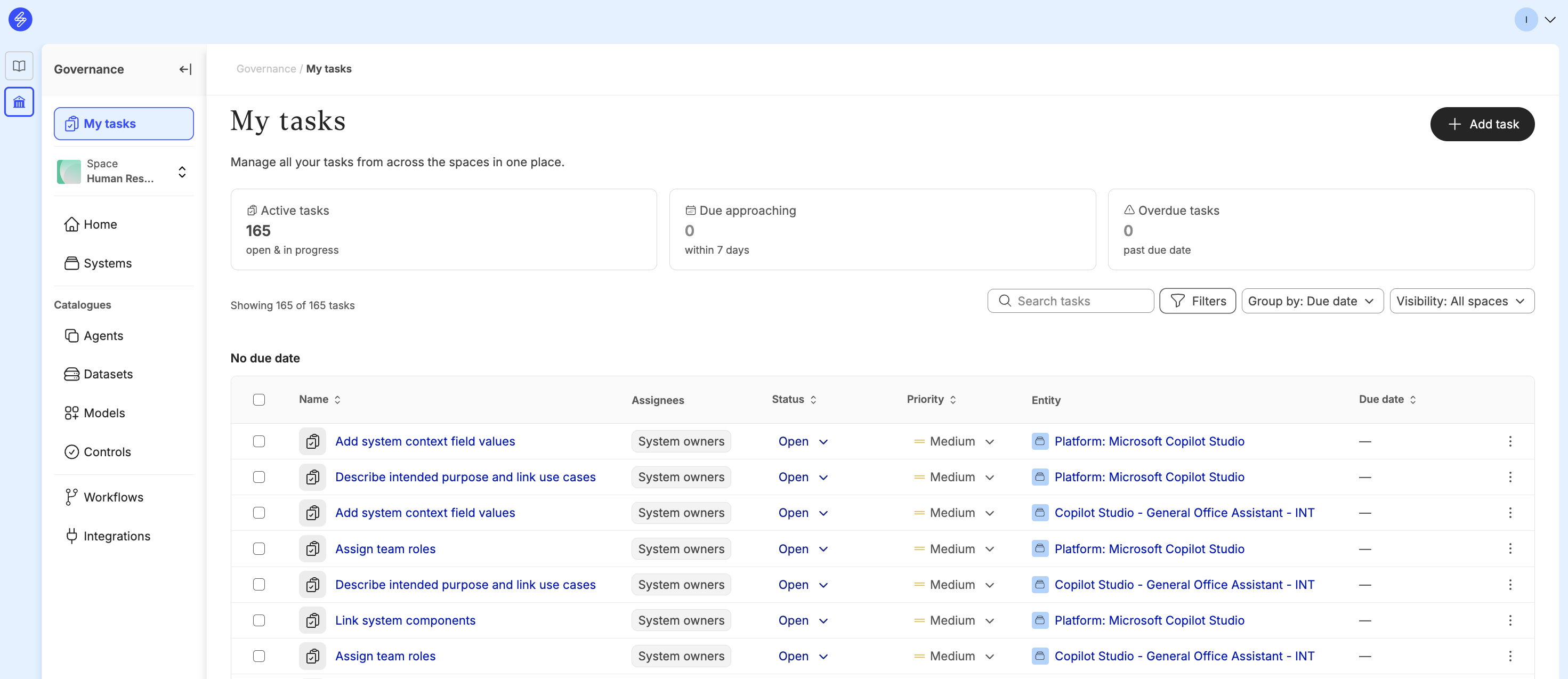
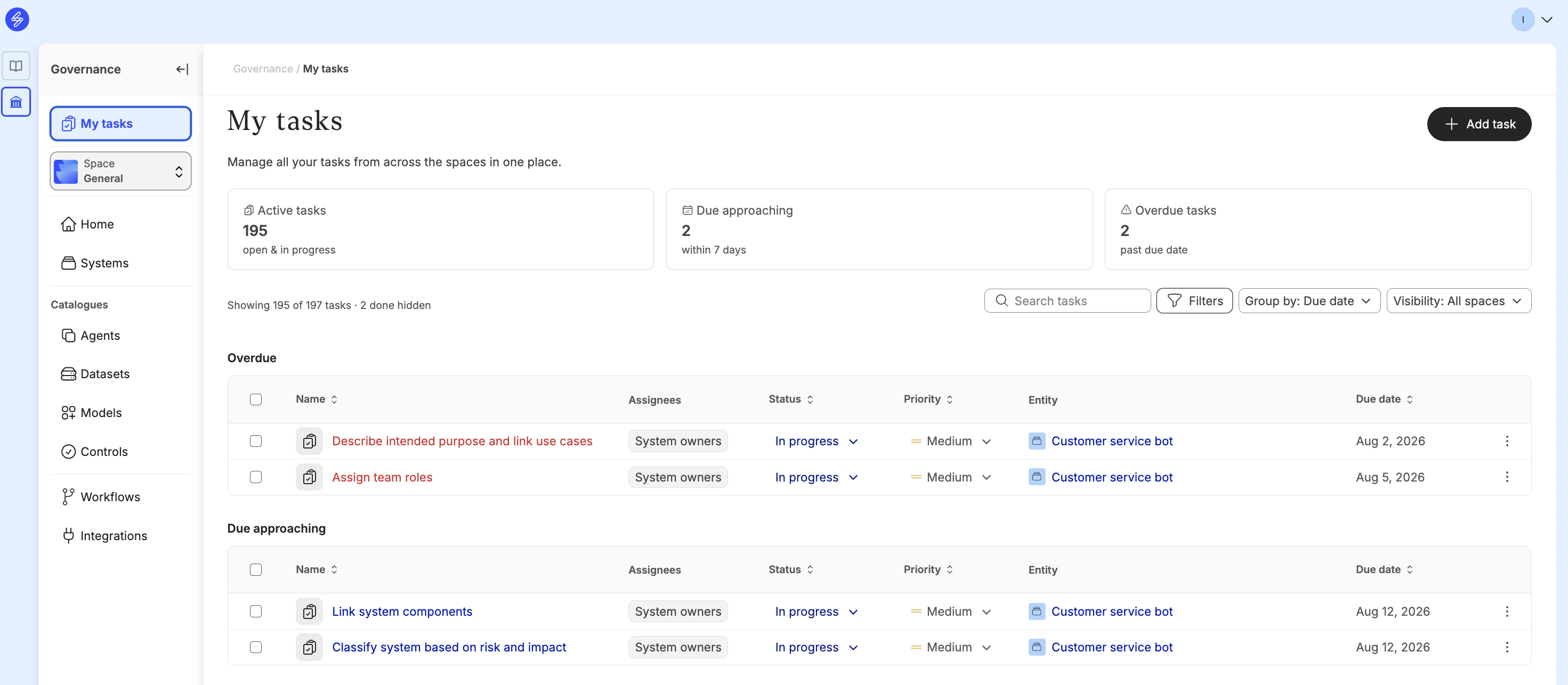
My tasks
Where: Governance → My tasks
My tasks sits above the Space selector in the navigation, because it is not scoped to a single Space. It brings together your tasks from every Space you are a member of in one list.
At the top of the view you see three counters:
-
Active tasks — open and in progress
-
Due approaching — due within the next 7 days
-
Overdue tasks — past their due date
The list is ordered by due date and priority rather than by system, so the work that needs attention first appears first. Use Group by to change how the list is broken up, Filters to narrow it down, and Visibility to include or exclude Spaces. Completed tasks are hidden by default — the count above the table tells you how many are hidden.
System tasks
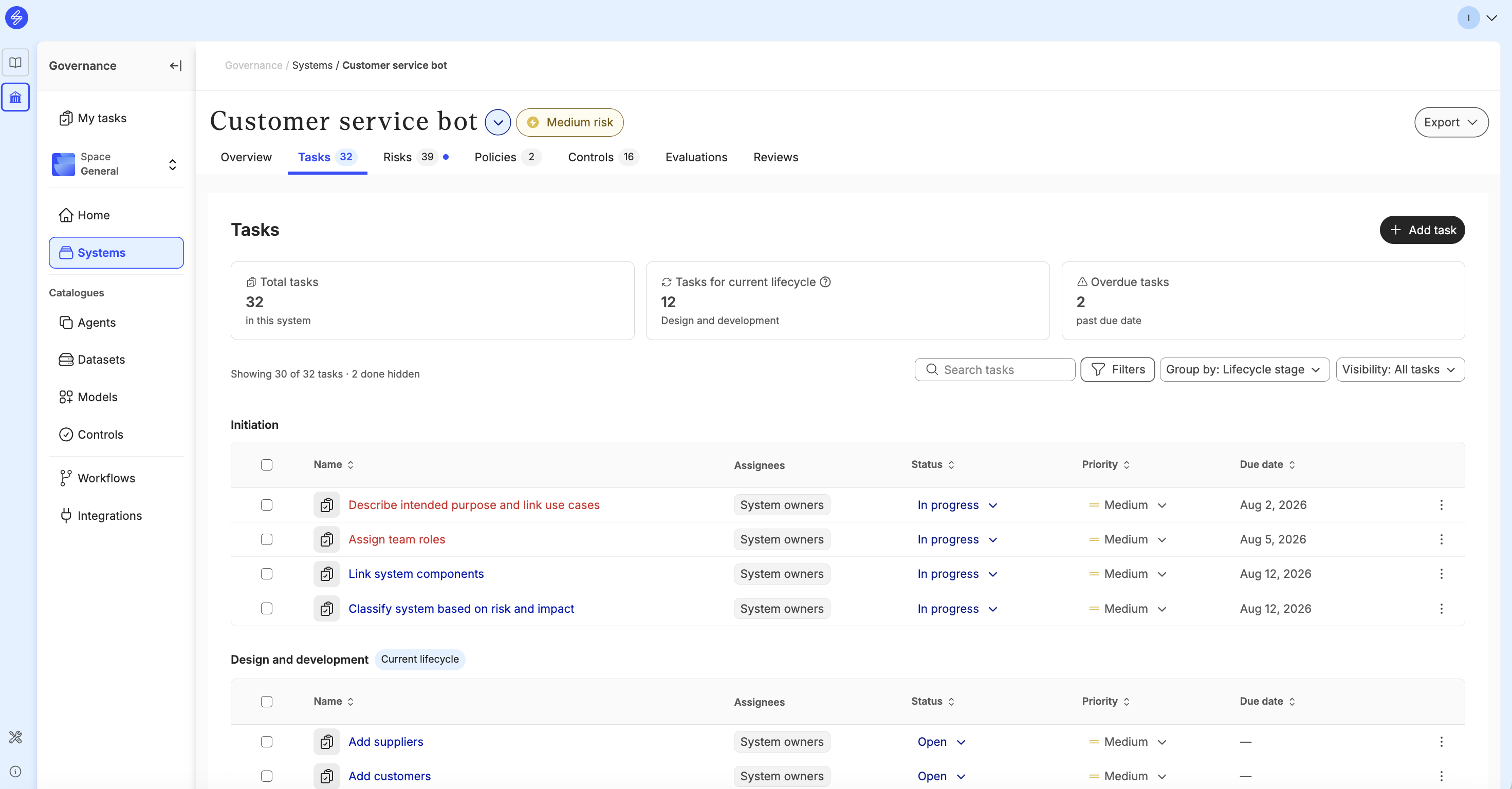
Where: Governance → Systems → [system] → Tasks
The Tasks tab on a system shows every task belonging to that system, with a count of open tasks in the tab label. Two counters show the Total tasks in the system and how many are Overdue.
Use this view to see whether a system is ready to move forward. Template tasks are released stage by stage as the system progresses through its lifecycle, and the lifecycle move is itself a task — it acts as the gate, so the other tasks in a stage are expected to be complete before the system advances to the next one.
What a task contains
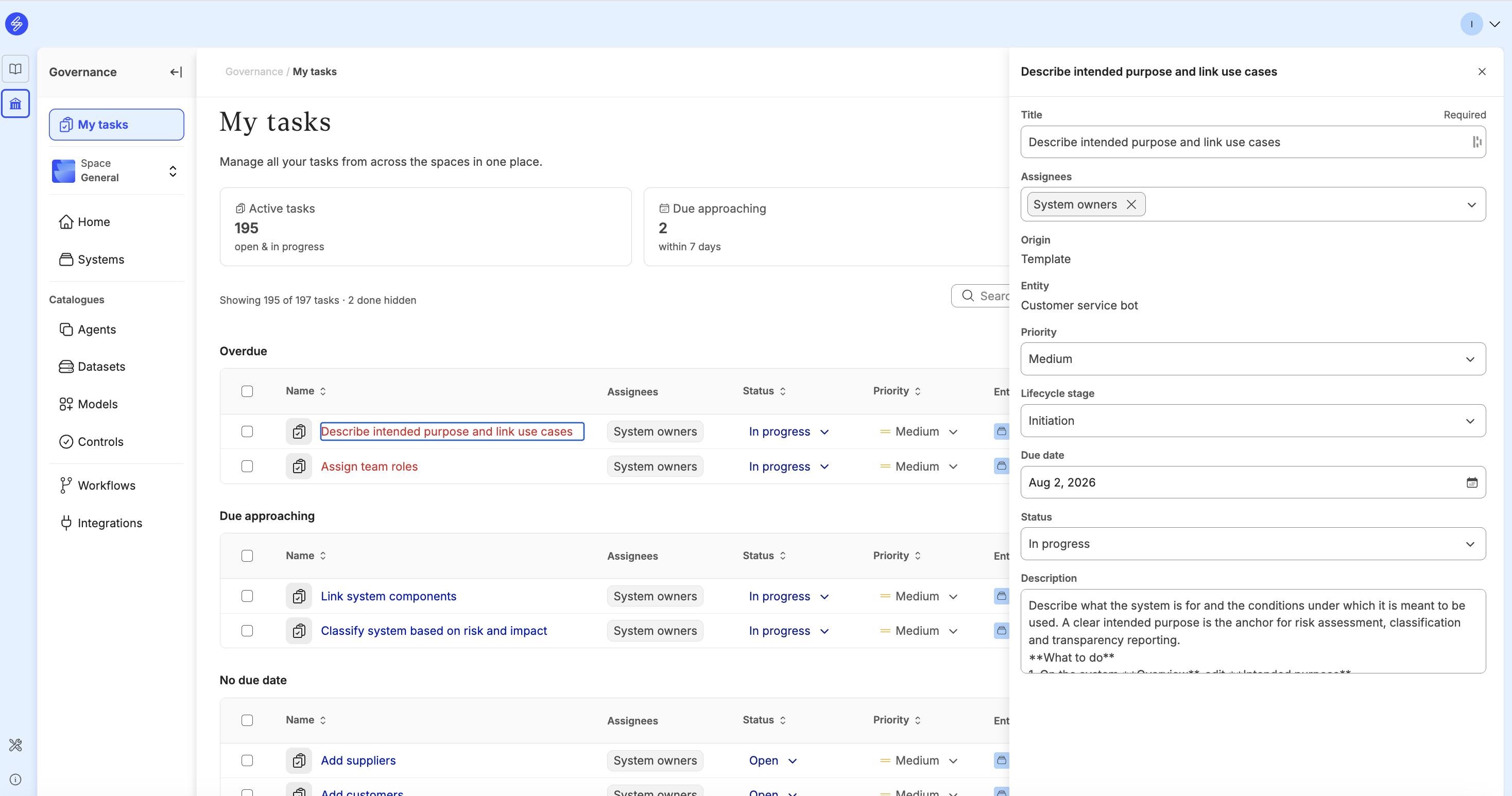
|
Field |
What it holds |
|
Title |
A plain instruction, for example "Link system components" |
|
Owner |
The accountable person. A role-based assignment resolves to whoever currently holds that role on the system |
|
Origin |
What caused the task to exist: a Saidot default, a template, or a task you created yourself |
|
Entity |
The system, Space or organisation the task belongs to. Set when the task is created |
|
Priority |
Highest to lowest. Drives the default ordering in My tasks |
|
Lifecycle stage |
Which stage of the AI lifecycle the task belongs to |
|
Due date |
Set by the lifecycle stage, by a cadence, or by you |
|
Status |
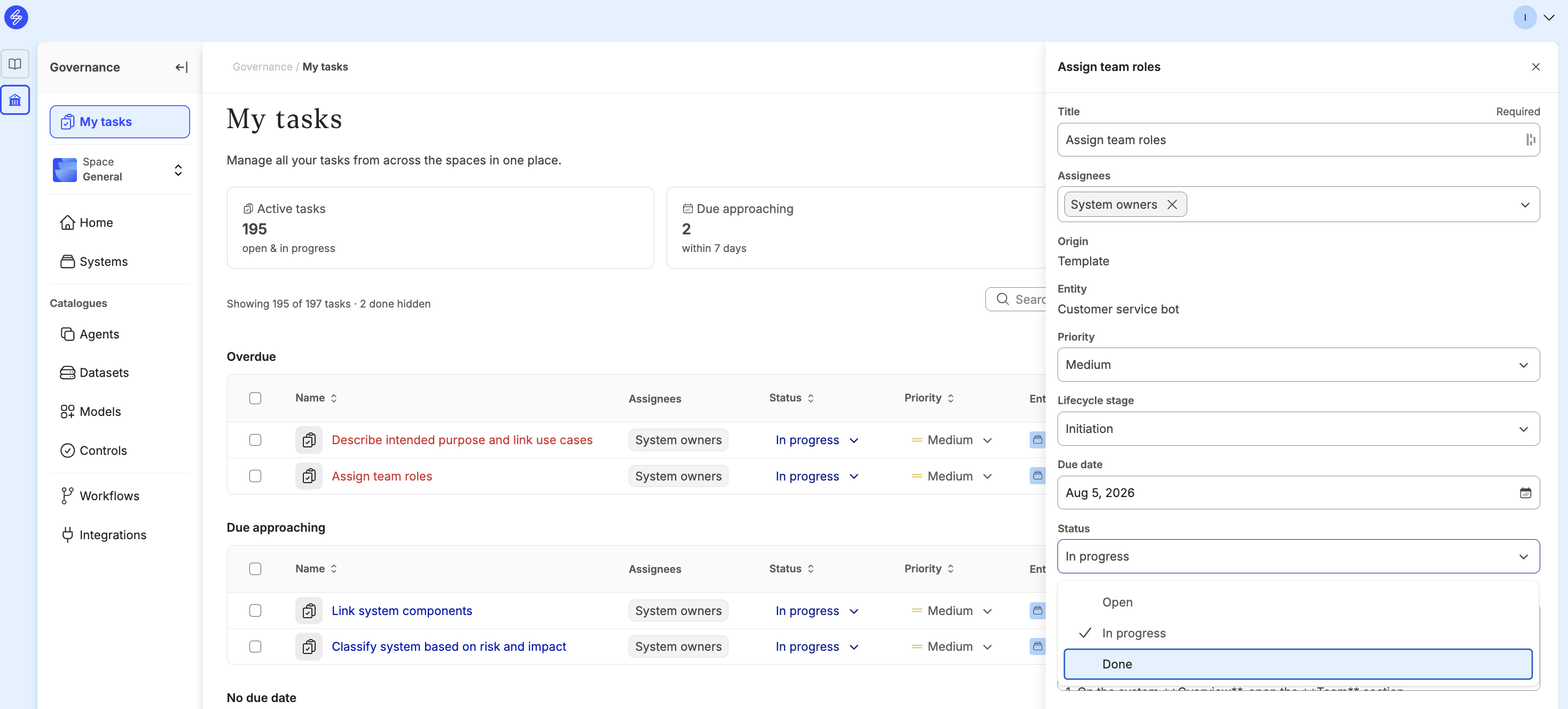
Open, In progress, Done or Blocked |
|
Description |
What the task asks for and why. Pre-written on generated tasks, editable on tasks you create |
|
Linked items |
The objects the task acts on — risks, controls, policies, models, datasets, reviews. These are links, never copies |
Where tasks come from
Saidot default tasks are one-time tasks that exist because you or your organisation exist in Saidot, independent of any system. They are surfaced by role: every user gets personal set-up tasks such as completing their profile, while Organisation admins and Space managers get the configuration tasks — Organisation settings, Members and Spaces, Custom fields, Custom lists, Use cases, API and service accounts, Integrations, the Control catalogue and Workflows. Each one fires once and does not come back.
Template tasks are the right-sized governance set for a system. They are populated per system at registration based on the system's risk classification, and released to the system owner stage by stage as the lifecycle progresses. Because they come from the same templates for every system with the same classification, governance is consistent and predictable across your inventory. Template tasks are configured with the Assign risk-level based tasks workflow.
Tasks you add yourself cover governance work that no template addresses. You fill in the fields and link the objects the task acts on, and you set the status by hand — these are never closed automatically.
How Saidot is evolving this functionality
Tasks today are largely predictable. A system's set is known when it is registered, shaped by its risk classification, and released stage by stage. We are extending tasks so that they also respond to what actually happens.
Tasks raised by workflows. When an automation acts on your behalf, inheriting risks from a linked model, applying controls from the catalogue, classifying a system, it will raise a task for the accountable person to validate the result or approve the change. The automation does the work; the task keeps the accountability with a named human.
Tasks raised by events. When something changes underneath a system, a Library update to a model you depend on, an incident, a change of owner, a review falling due, a task will be raised for whoever needs to act. This is where a connected inventory pays off: one Library change can reach every affected system without anyone having to go looking for it.
Tasks and the AI lifecycle
Tasks are how the Saidot lifecycle methodology becomes work in the platform. The AI system lifecycle management page describes the seven lifecycle stages and the governance activities that belong to each of them. Template tasks implement that process: they turn each stage's activities into concrete, owned, dated items on a specific system.
This is also where right-sizing becomes visible. As the methodology sets out, the governance activities relevant to a system depend on its risk and business impact level — so a system's task set is generated from its risk classification rather than being the same for everything in your inventory. Two systems at the same risk level get the same tasks; a Prohibited system carries more than a Low risk one.
Task ownership follows the same principle. Tasks are assigned by role, and resolve to whoever currently holds that role on the system, in line with the roles and responsibilities you have defined.
Adding a task
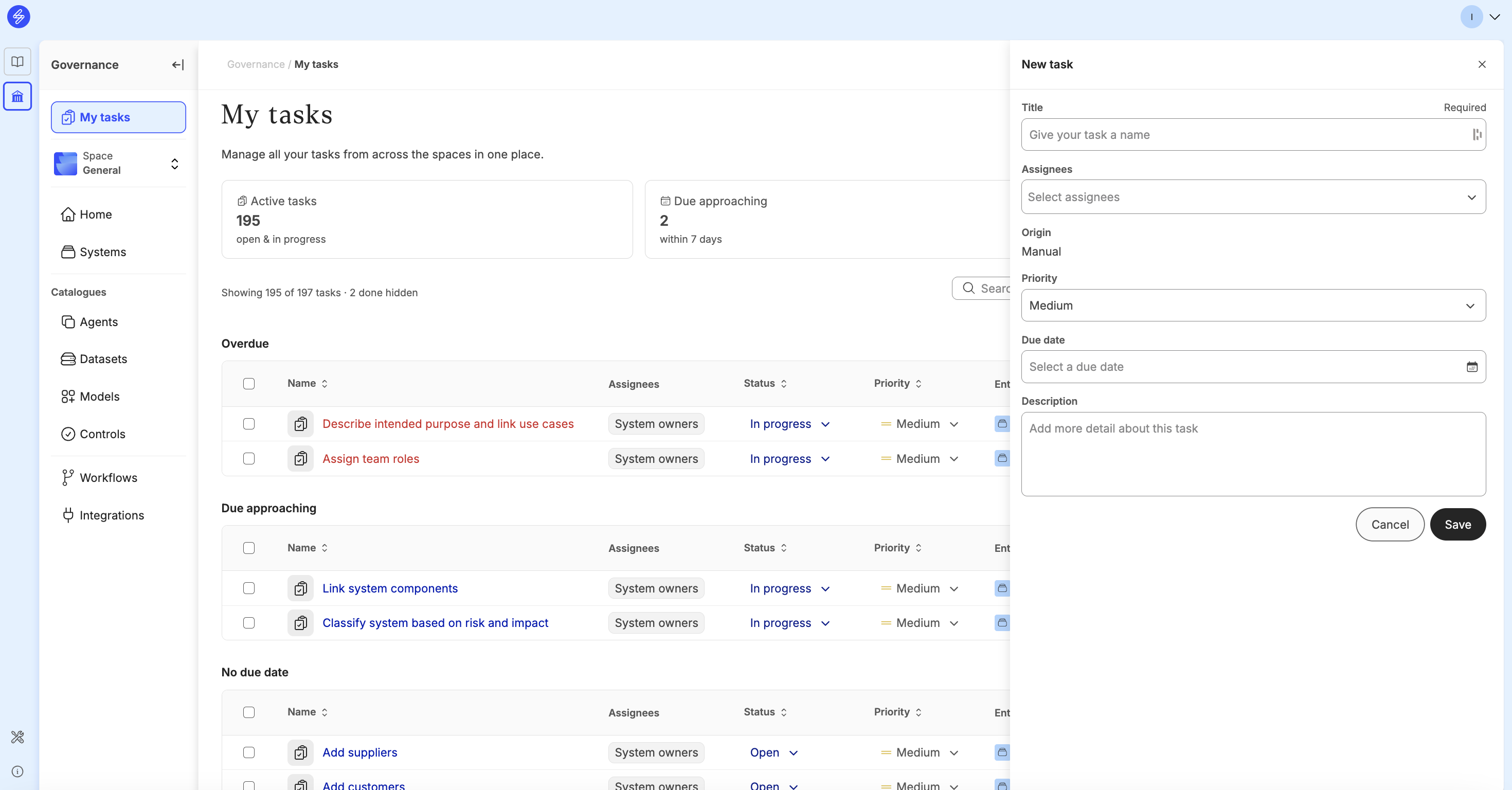
Select Add task in either My tasks or a system's Tasks tab. A title is required. Assign an owner, set the priority, lifecycle stage and due date, and write a description explaining what the task asks for and why.
Use Add linked items to point the task at the objects it concerns. Linked items are deep links into Saidot, so whoever picks up the task can go straight to the risk, control, policy or system it relates to.
Completing a task
Set the status from the task list or the task detail panel: Open, In progress, Done or Blocked.
Generated tasks can also update themselves. When you carry out the governance action the task asks for, such as validating a risk, completing a control, moving a lifecycle stage, Saidot recognises that the work has been done and updates the task's status for you. You can always set the status manually as well.